Guest list
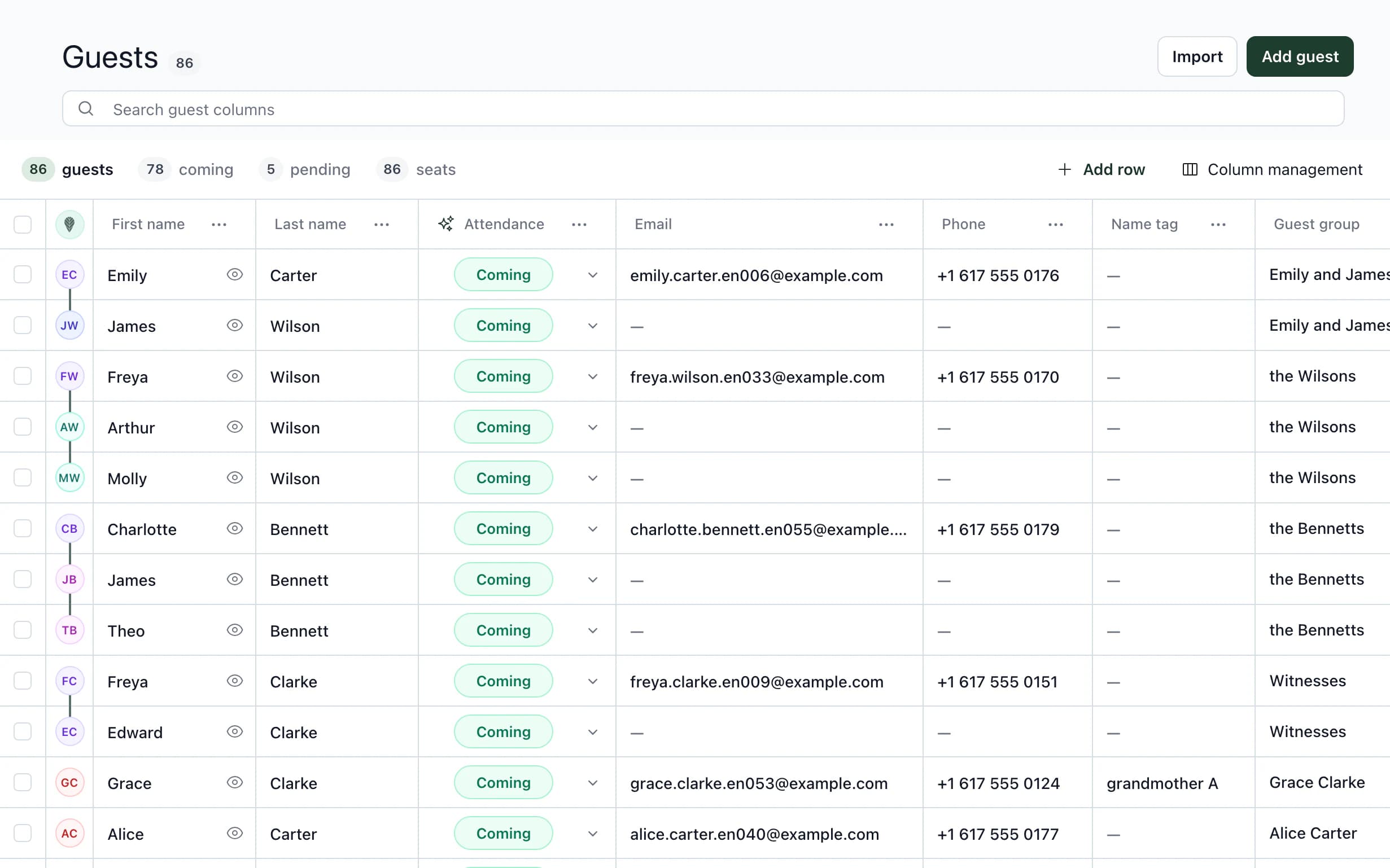
After approvalThomas ClarkeAwaiting RSVP
- attending
- 78
- awaiting a response
- 5
For wedding coordinators, agencies and venues
Guests, seating, menus, rooms and the timeline in one project. Each area builds on information already there.

Try it
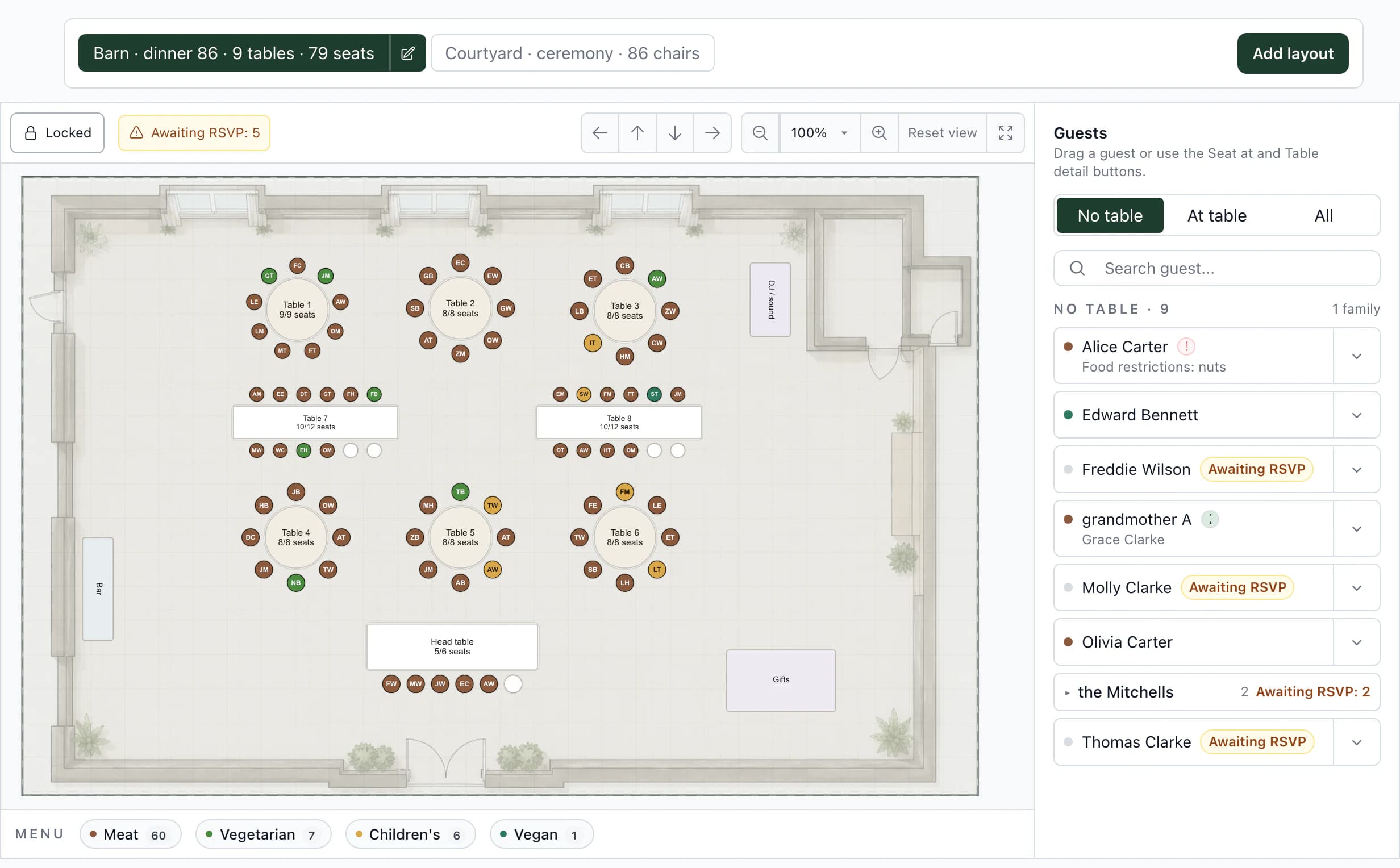
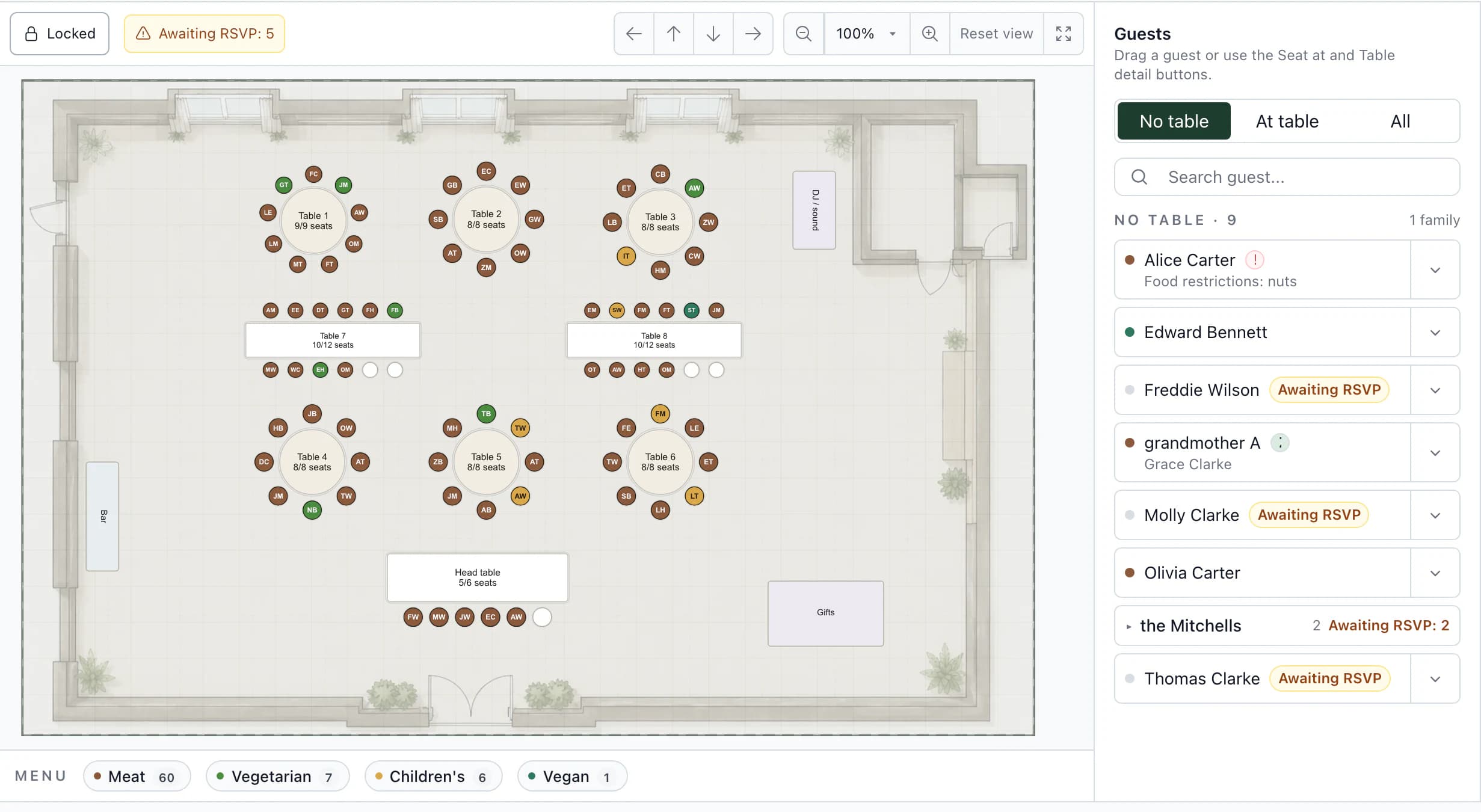
Awaiting RSVP: 5
Unseated guests
Thomas ClarkeThomas is among unseated guests and has not replied yet.
RSVP portions for all 78 guests attending, including those without a table yet.
Documents
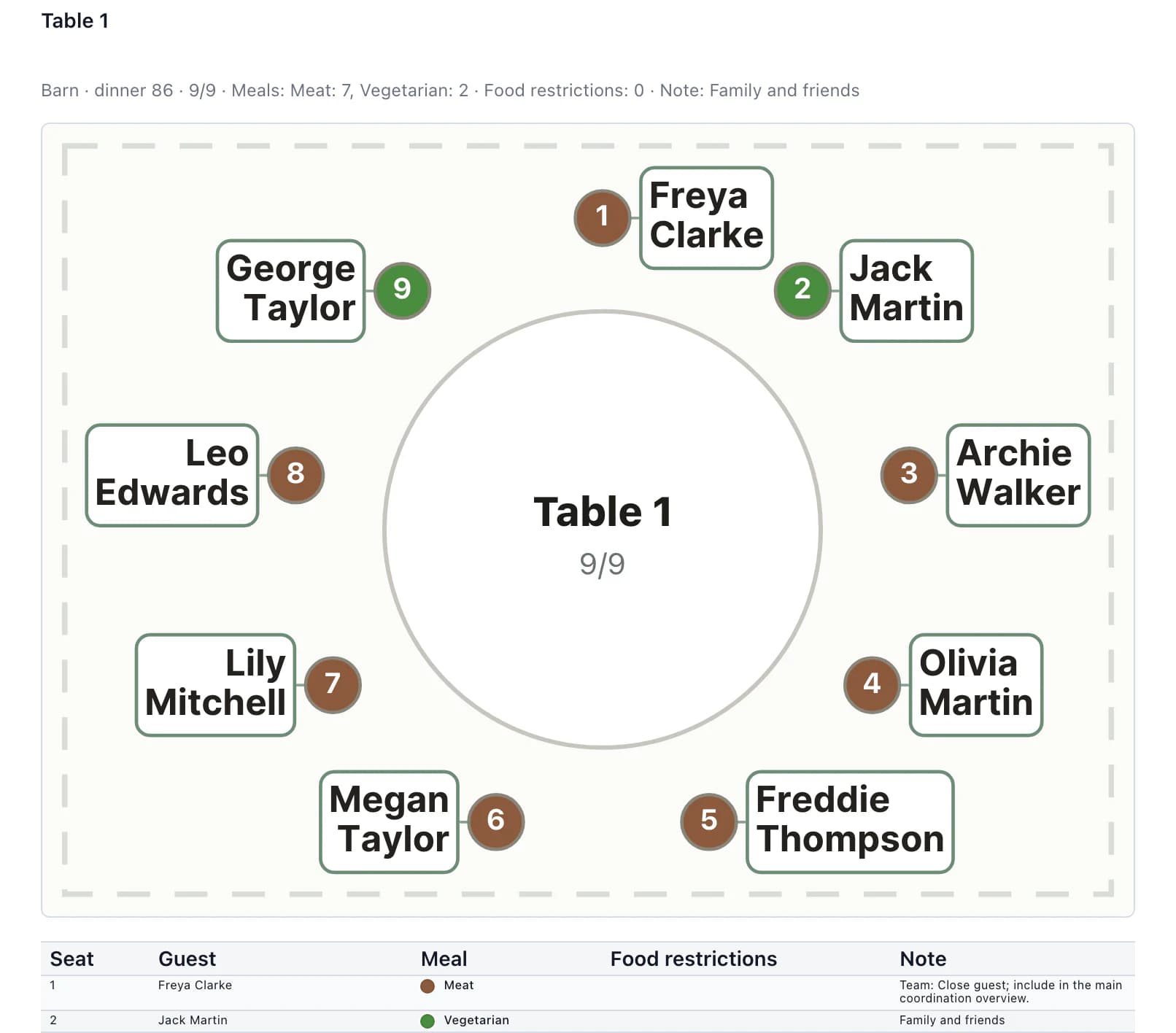
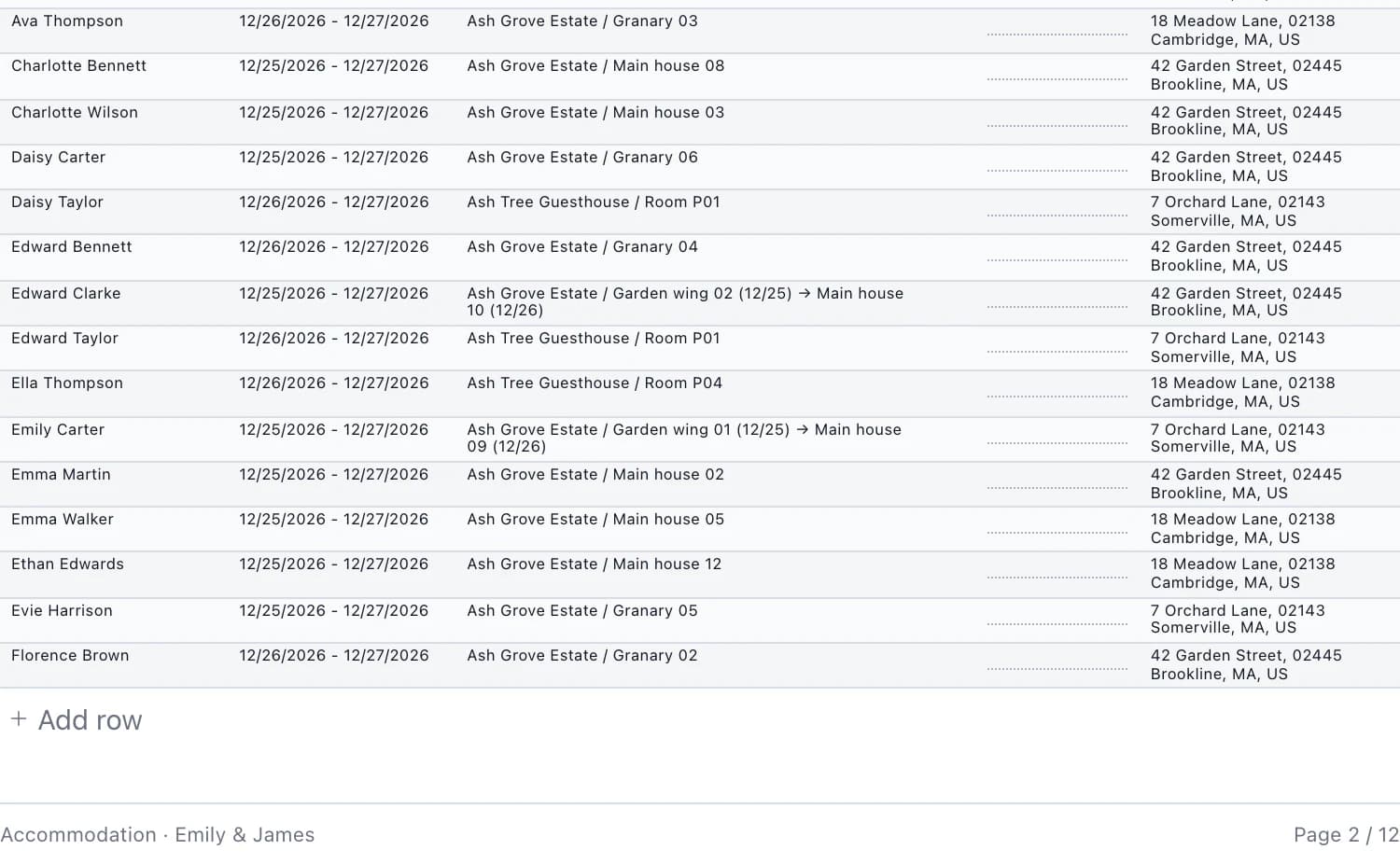
Every vendor, service staff and reception receive their own document from the same wedding. No copying to another spreadsheet.
Timeline – DJ James Bennett
Emily & James · Dec 25 – 27, 2026
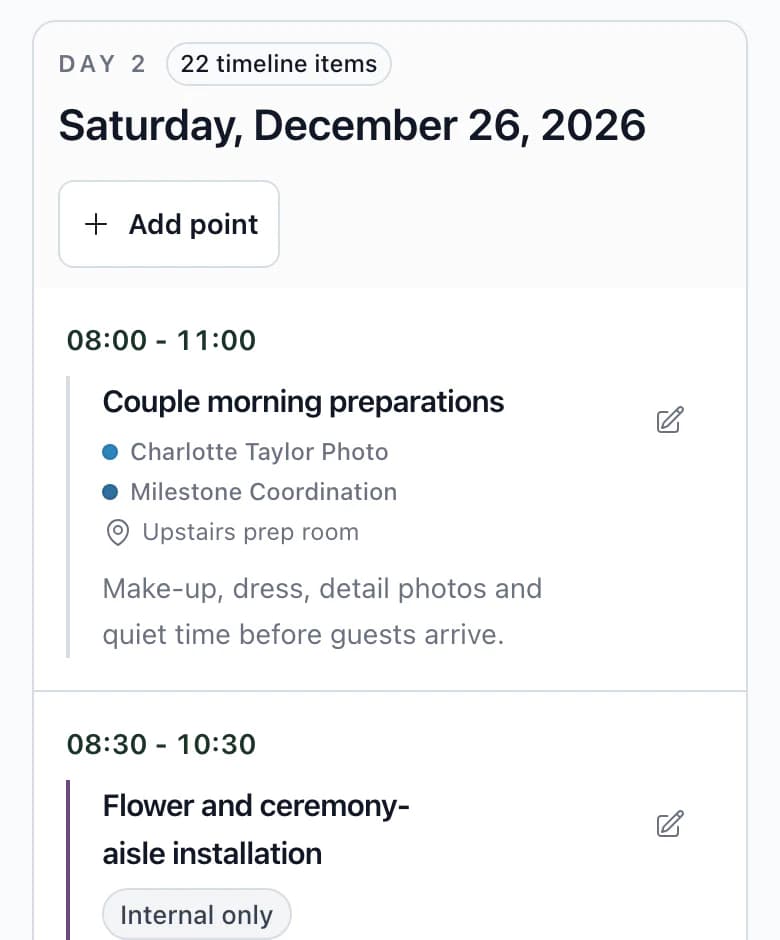
Day 2 – Saturday, December 26, 202612 of 22 items for the day
Timeline for
DJ James Bennett: 12 of 22 items in the day: 9 shared and 3 internal assigned to them.
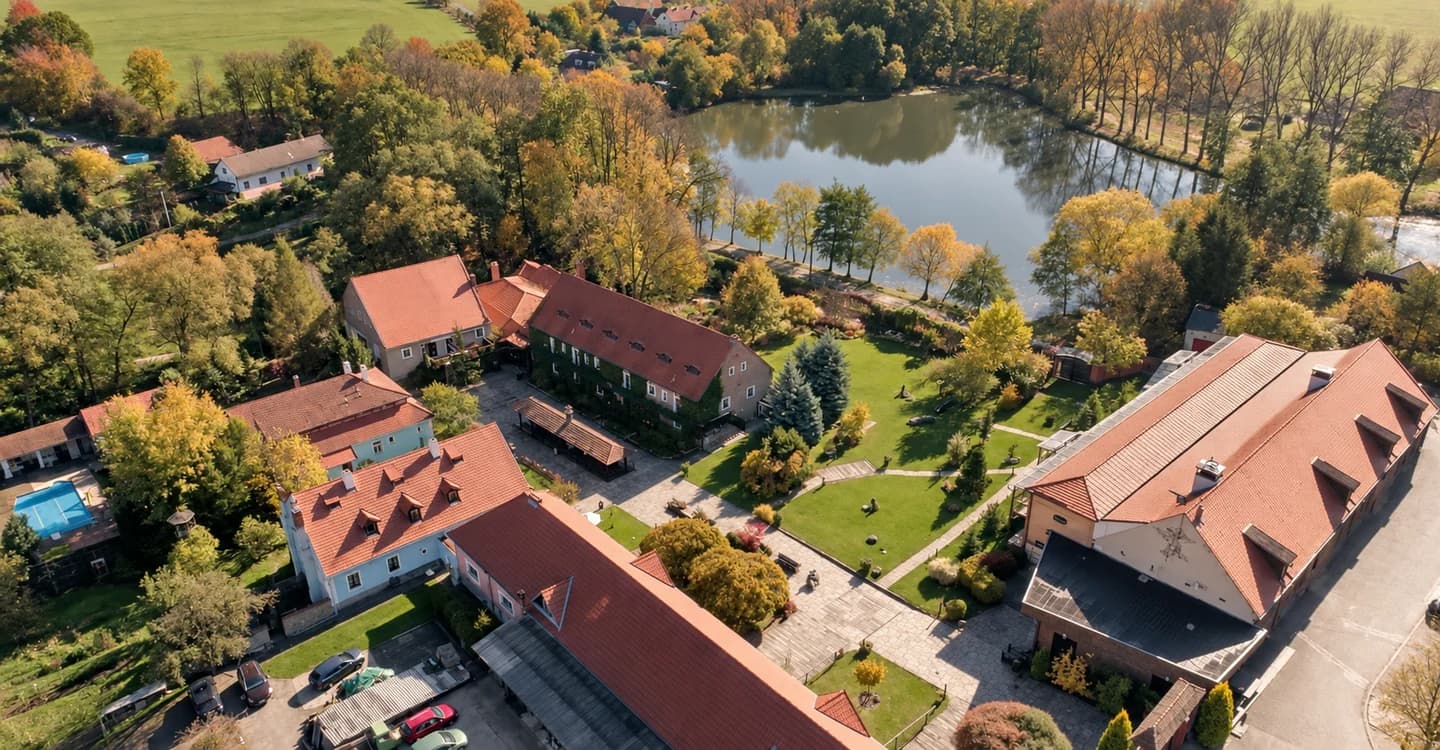
Planning weddings at Grand Farma Michael
„Finally, I have one place where I can handle practically all the wedding planning.“
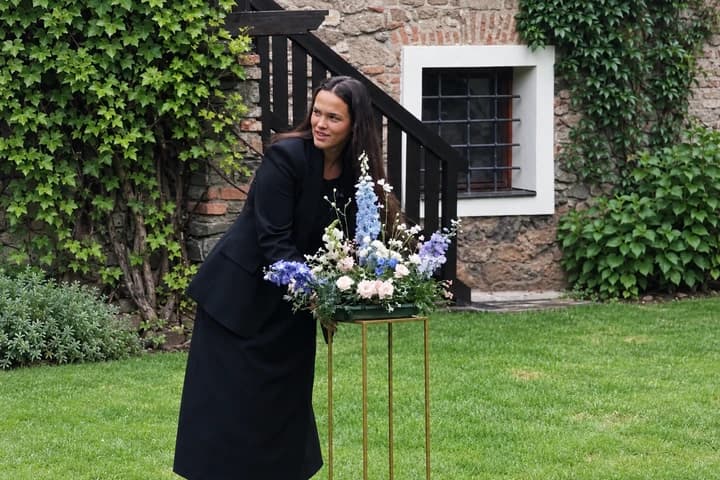 Natálie ŠtěpánkováWedding coordinator, Grand Farma Michael
„…I can create a personalised website for guests in no time, and it’s easy to keep everything up to date. I have the guests, meal choices, seating plan, rooming list and other important information in one place. Everything is clear and personalised, and it really saves me a lot of time. Great app!“
What they use in Kruspin
How it all connects
Select a section to see what you can do there and where it takes effect.
Guests and RSVP
Appears in: Counts above the list update: how many guests are attending and how many have not replied.
Guests and RSVP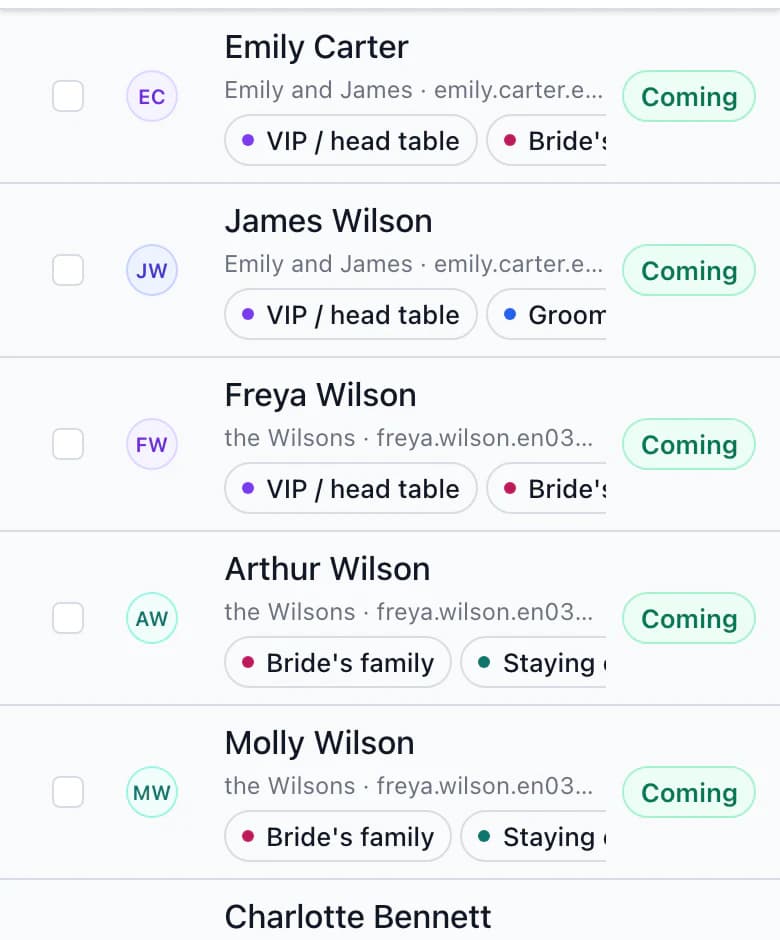
Seating plan
Appears in: Their seat shows the menu and dietary restrictions. Service staff receive the table with seat numbers and meals.
Seating plan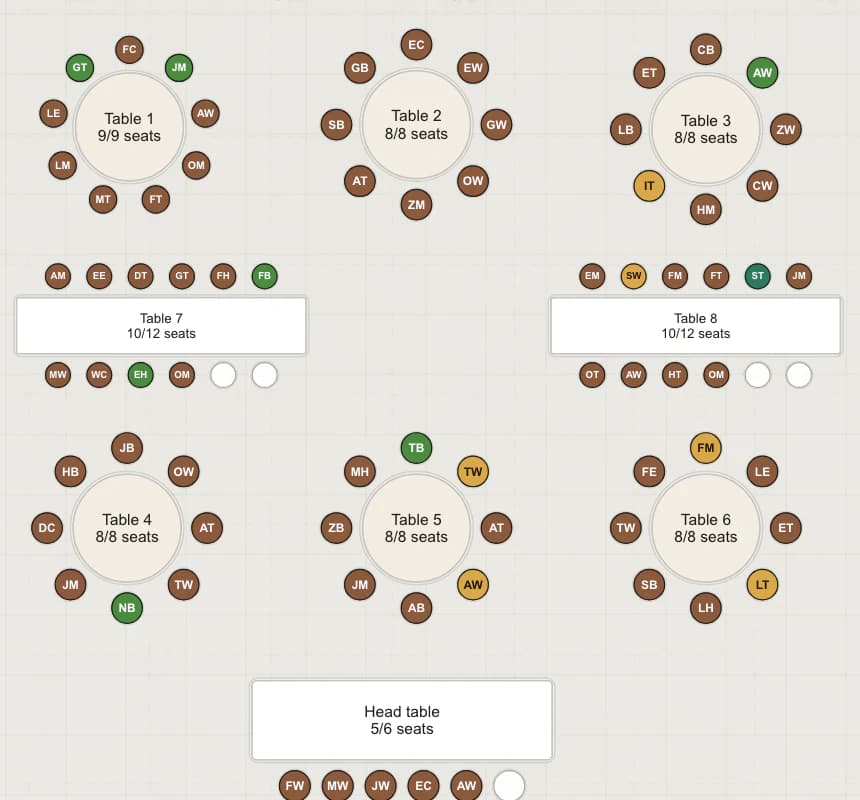
Budget
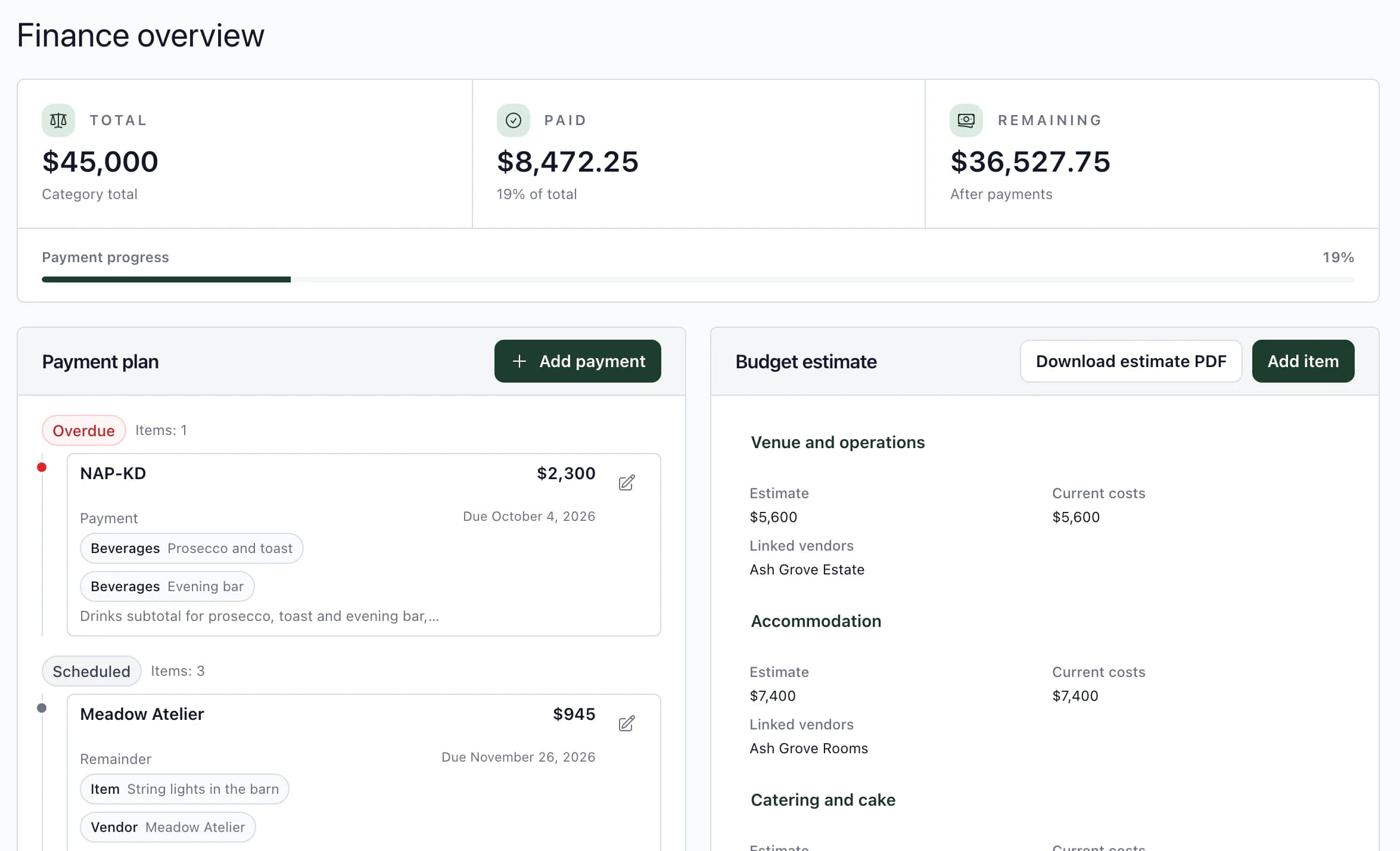
Appears in: Above the payment plan, see how much is paid and how much remains. Overdue payments appear at the top.
Budget template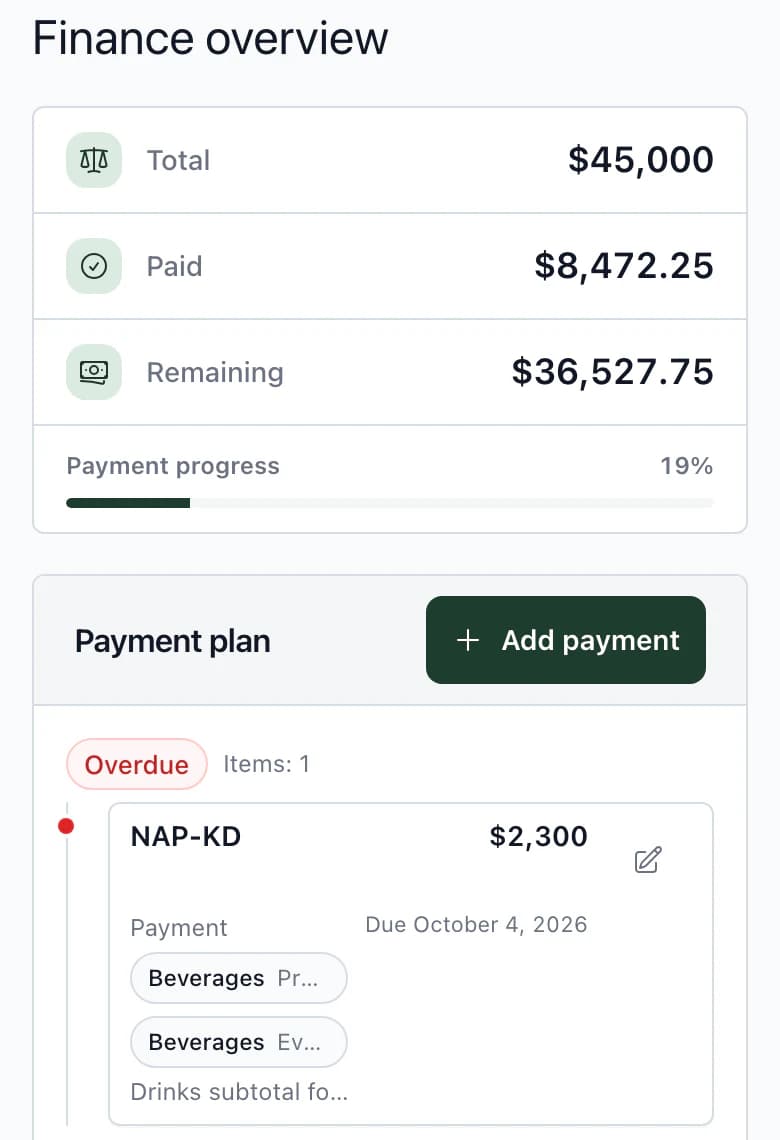
Accommodation
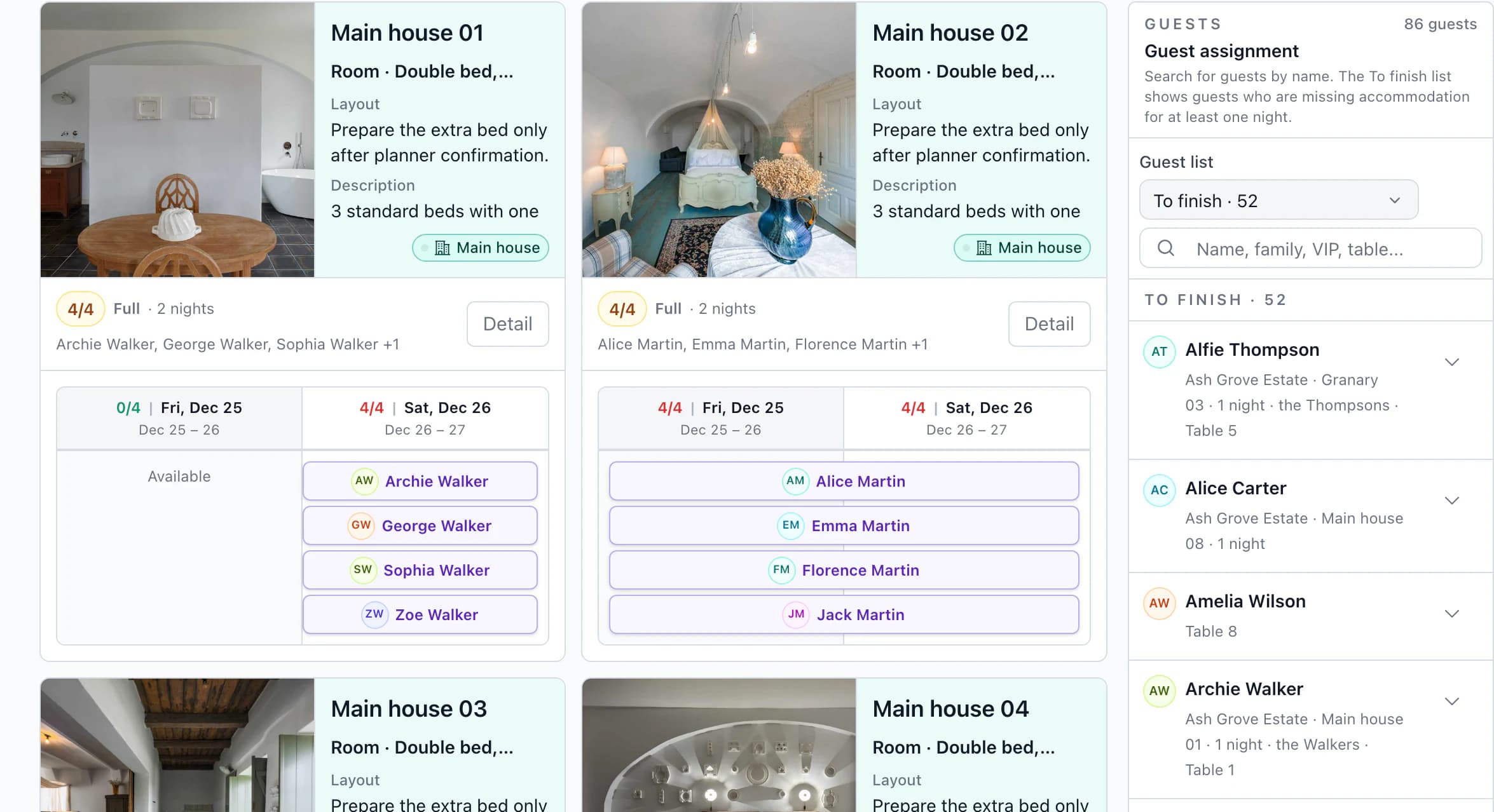
Appears in: See occupancy night by night. Reception gets a rooming list from the same information.
Accommodation and rooming list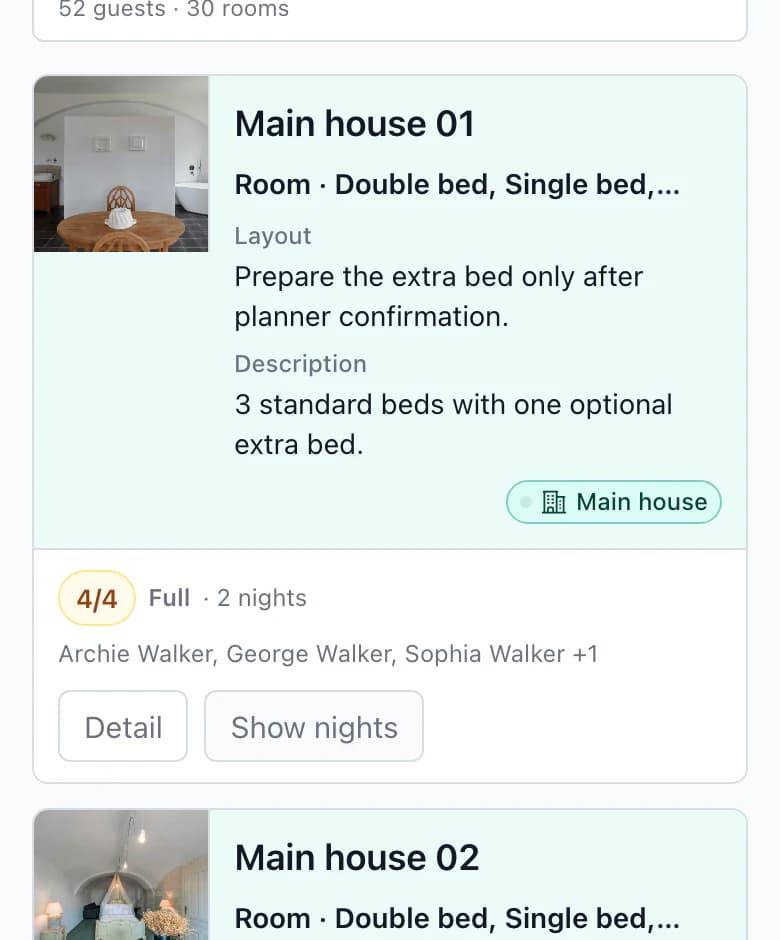
Timeline
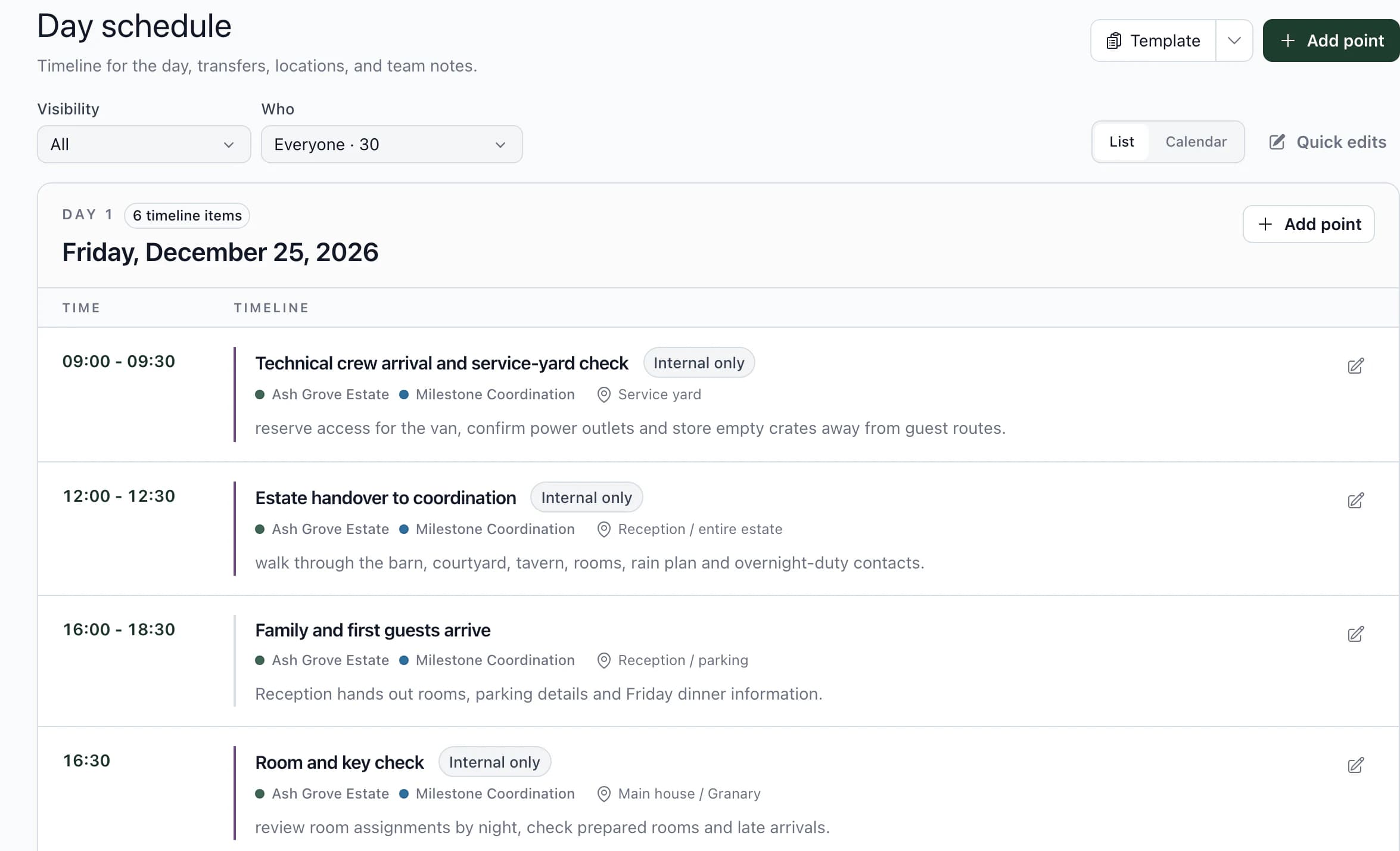
Appears in: The client cannot see it. A vendor receives it only if assigned to the item.
Wedding timeline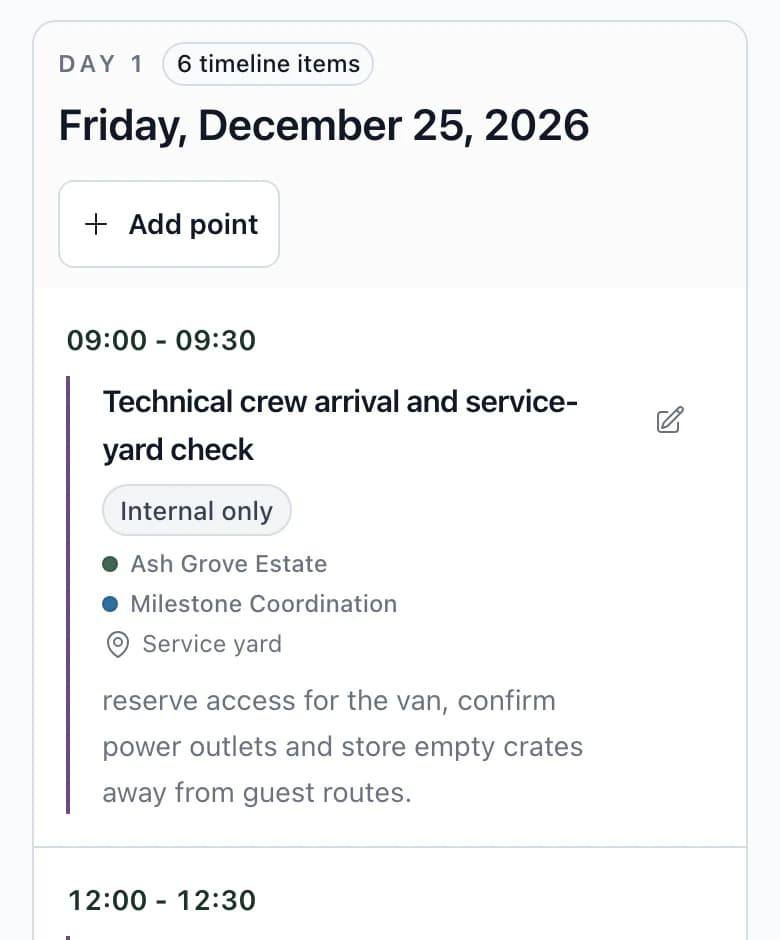
Part 1 of 5: Guests and RSVP
Team and client
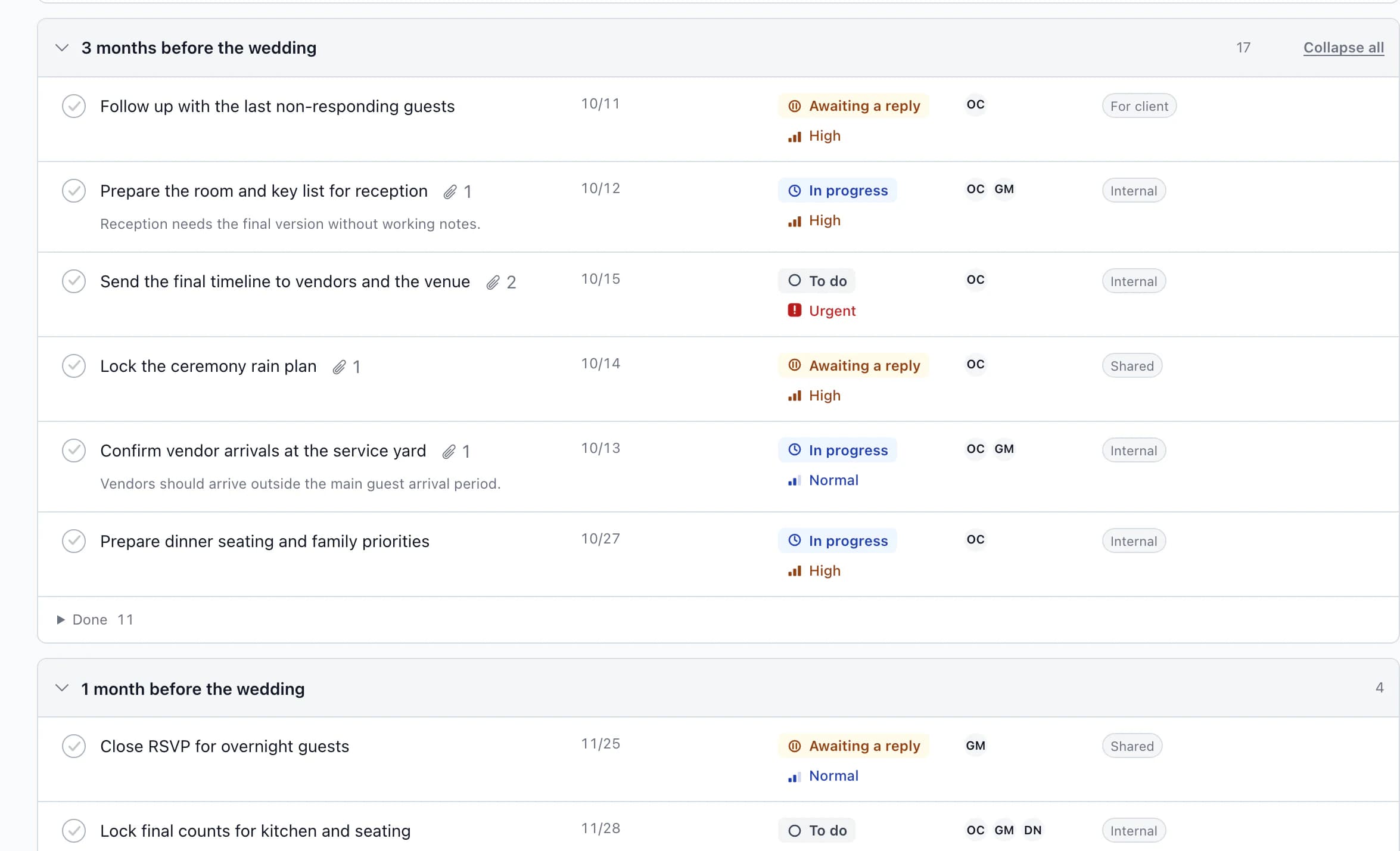
Every task shows its deadline, status, priority and responsible person. Internal tasks stay with the team; client and shared tasks are also visible to the couple.
On the wedding day, the timeline is on your phone: the time, location and who is responsible for each item.
Schedule, venue and RSVP form. Responses are saved to the guest list after approval.
Guest website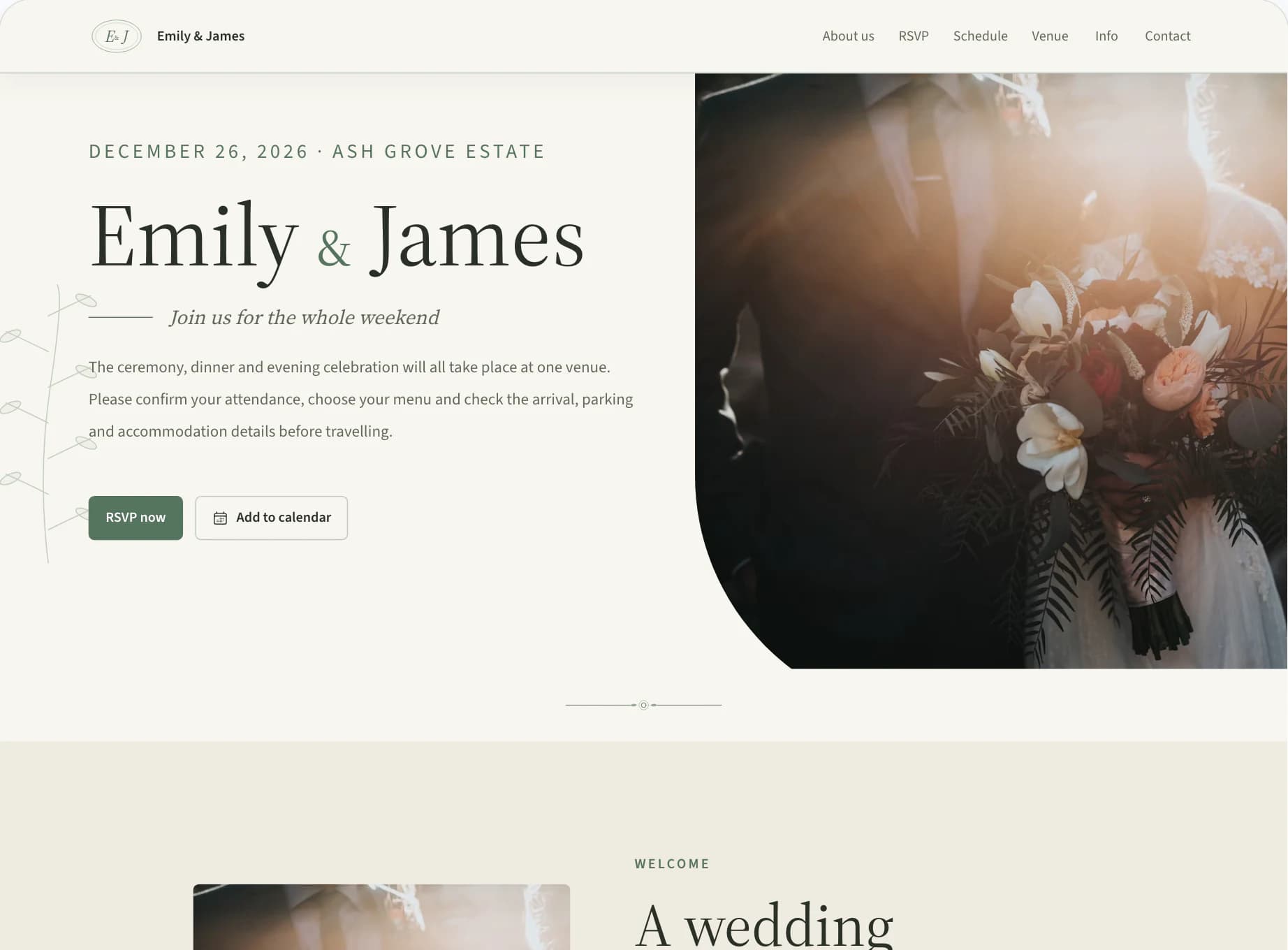
Save task lists, timelines and RSVP questions once, then choose what you need for the next wedding.
Templates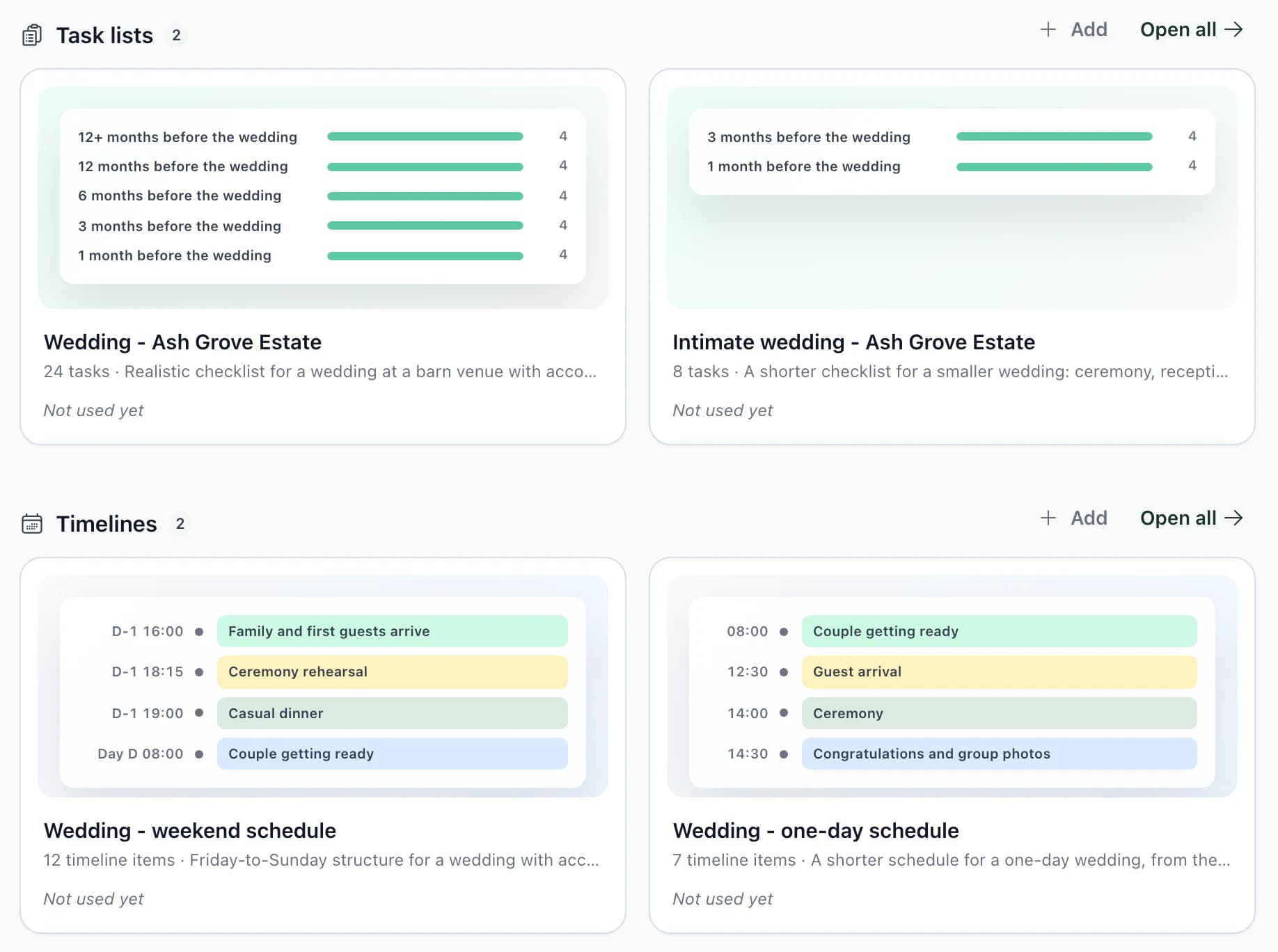
Everything in Kruspin
Groups follow the order of wedding work, with the team and agency below. Circle size reflects how many areas a group has. Select a group to see what you enter and what it produces.
From the first inquiry to the rooming list for reception. Work otherwise spread across spreadsheets, forms, emails and a calendar has its place in Kruspin.
Who works with what
All 32 Coordinators and the team work with everything their role permits. Roles and access determine what others see.
Five wedding areas from the story above
Frequently asked questions
Did not find an answer? Write to us through the page support.
For coordinators, agencies and venues that plan and run weddings. It helps teams work together on guests, tasks, timelines and vendor documents.
The client sees only their wedding: overview, guests and RSVP, timeline, food and drinks, decorations, tasks assigned to them and shared content. They seat guests at tables and assign rooms themselves. They see financial items, prices and payments, but cannot change them. Internal tasks and timeline items stay with your team.
Enter your email address, accept the terms and verify your email with a six-digit code. No password needed. While you add your first name, last name, phone number, language and currency, we will set up the app with Emily and James's wedding from this page. Try everything on that wedding, then create your first one. Add venues, vendors and templates when you need them.
Yes. Save task lists, timelines, RSVP questions and other supported materials for future projects. When applying them, choose the parts you need and adapt them to the wedding.
Prepare the document from wedding data, review it and print it as a PDF or send it by link. The PDF uses the data at the time you create it; after a change, create a new one.
After signing up, you get your own app with Emily & James's wedding from this page. Try guests, seating and documents, then create your first wedding.