
Budget template
Estimated, agreed and paid.
The estimate, agreed price and paid amount side by side for every item, plus the due date of the next payment.
Simplified demo enter an amount
- Estimate 4 of 13
- $20,500
- Agreed 3 of 13
- $19,200
- Paid 3 of 13
- $7,500
- Balance due of agreed
- $11,700
| Row | Item | Estimate | Agreed price | Paid |
|---|---|---|---|---|
| 3 | Wedding menu | 7500 | 8100 | 2500 |
| Column | Row 3 |
|---|---|
| Item | Wedding menu |
| Estimate | 7500 |
| Agreed price | 8100 |
| Paid | 2500 |
Estimated $20,500, agreed $19,200, paid $7,500, balance remaining $11,700.
Completed example: required details are valid
What belongs in the columnsRules for 9 columns when filling in the file in a spreadsheet
- Category
- The group you use to total the budget and show it to the client. For example: Food and drinks
- Item
- One service or supply, named as it appears in the quote. For example: Wedding menu
- Vendor
- Who provides the service and receives the payment. For example: Catering
- Estimate
- The amount at the start of planning. Do not change it after receiving a quote. For example: 150,000 CZK
- Agreed price
- The price from the quote or contract. Leave blank until agreed. For example: 162,000 CZK
- Paid
- The total of payments confirmed as sent. For example: 50,000 CZK
- Due date
- The next payment deadline. After payment, replace it with the next deadline or leave blank. For example: 11. 12. 2026
- Paid by
- Who pays the vendor. This tells you who will receive the invoice. For example: Client
- Note
- What the amount includes and excludes. For example: Drinks excluded, service included
How to use the file3 steps
Three moments when the row changes. The guide explains how to build the budget from guest count through final settlement.
- At the start of planning: Estimate
Review categories with the client and enter an Estimate for every item. Leave Agreed price and Paid blank.
- When a quote arrives: Agreed price
Enter the quoted or contracted price beside the estimate, and what it includes in the Note. Discuss the difference with the client straight away.
- When a payment is sent: Paid and Due date
Add the verified payment to the Paid column and change Due date to the next payment deadline.
Budget in Kruspin
The budget belongs to a wedding, not a template.
Each wedding has its own budget estimate and payment plan. Alongside the estimate, actual costs from the wedding's vendors, menus, drinks and decorations are totaled by category.
See it in the appAn app screen and 3 details
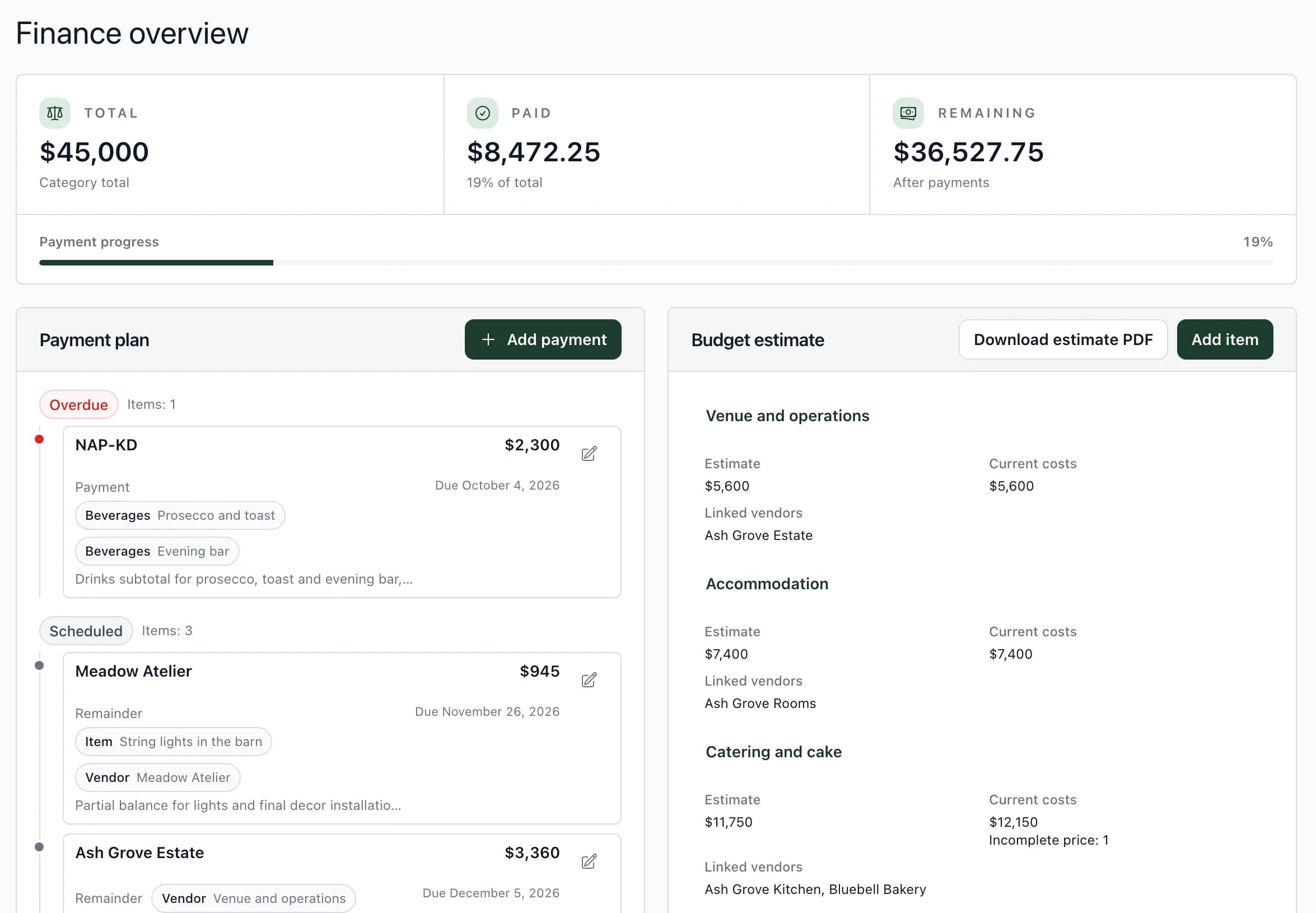
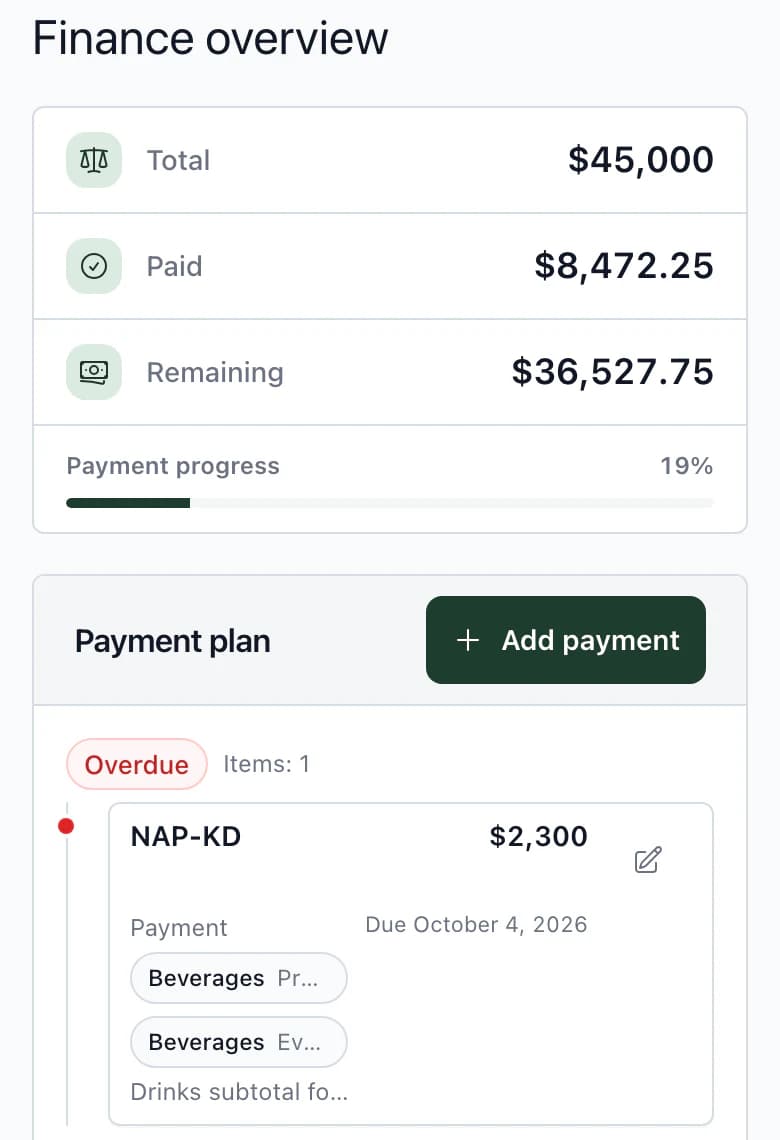
- Budget estimate
Categories with your estimate beside actual costs from vendors, menus, drinks and decorations. See both amounts for each category and in the total. Download the estimate as a PDF.
- Payment plan
A deposit, payment or balance with an amount, due date and what it covers. The overview shows how much is paid and how much remains.
- Prices from templates
Save menus and drinks or decoration sets as templates, including prices. At a new wedding, they create costs you assign to the budget.
What the client sees in the budgetClient and budget
- Items, prices and payments
The client sees financial items, prices and payments. They cannot change them.
- Notes and contact details stay hidden
The client cannot see budget item notes, internal notes or vendor contact details. They can see payment notes.
- No second budget
Kruspin has no hidden team-only budget version. Keep your own cost calculations and margins outside the wedding.
Next step
The budget rests on the guest count.
Guest list template
Name, group, attendance, menu and dietary restrictions for every guest.
Wedding budgetHow to build the budget from the guest count and what to check in quotes.
Manage the wedding budget in the app.
Budget estimate, payment plan with due dates, and actual costs from vendors, menus and decorations.
Frequently asked questions
Budgets in practice.
Did not find an answer? Write to us through the page support.
How should I track the contingency?
As a separate item with its own estimate. When you use it, record where the amount went against that item.
How do I calculate per-guest items?
Write the per-person price and the count it is based on in the note. Recalculate it using the actual count after the RSVP deadline.