
Guests and RSVP
Responses directly on guest records.
Once approved, an RSVP form response is saved directly to the guest. The seating plan, rooms and kitchen counts then use the same information.
Joshua Mitchell
the Mitchells · Emily & James's wedding
Simplified demo
- Attendance
- Awaiting RSVP
- Menu
- —
- Dietary restrictions
- —
- A seat at the table
- Unseated
- Friday
- Needs attention
- Saturday
- Needs attention
Joshua responds and you approve his response
Responses awaiting approval · team or client
Joshua's response appears here after submission. It is saved to the guest list only after approval.
The full example as text
- Response. Check Joshua Mitchell fills in the form through a shared link. His response waits under Responses awaiting approval. Joshua is already on the list, so it is marked Needs review and the matching name preselects the guest. Existing guest list details remain until approval. Automatically After approval, Joshua's record has attendance, menu and dietary restrictions. The seating plan, service document and kitchen counts then use his response.
- Venue. Manual Joshua is in the unseated list with a dot in his menu color; seat him in available seat 6 at table 5 in the barn. If a seated guest replies Not attending, they stay at the table, the service document flags RSVP Not attending, and you free the seat.
- Rooms. Manual Assign a room separately for Friday and Saturday. A full room cannot accept another guest. The room stays assigned until you remove it.
- Documents. Export Service staff get names, meals and dietary restrictions at each seat; the kitchen gets menu and dietary restriction counts without names; reception gets arrivals, room changes and departures. Print documents as PDFs or send them by link.
RSVP form
Every question knows where its answer belongs.
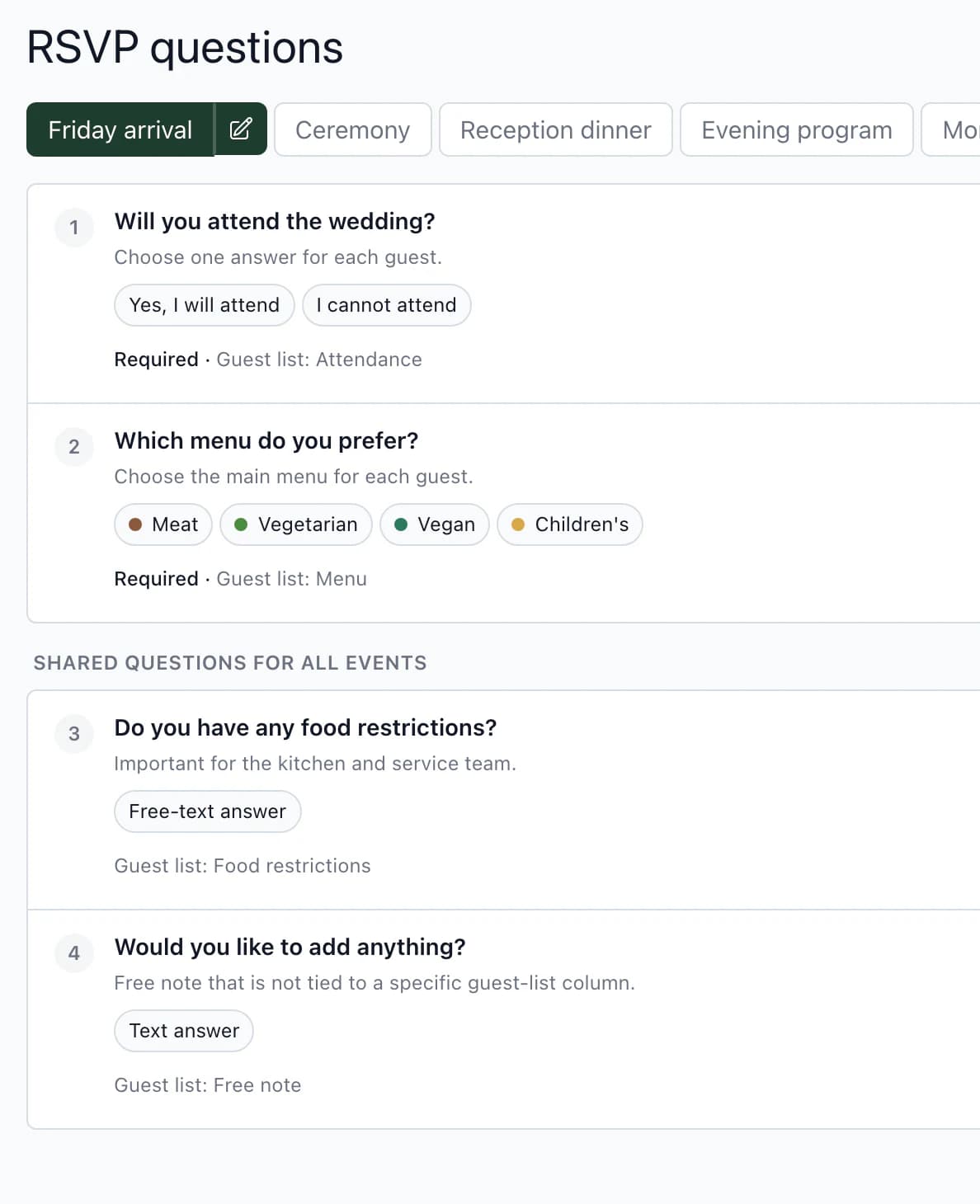
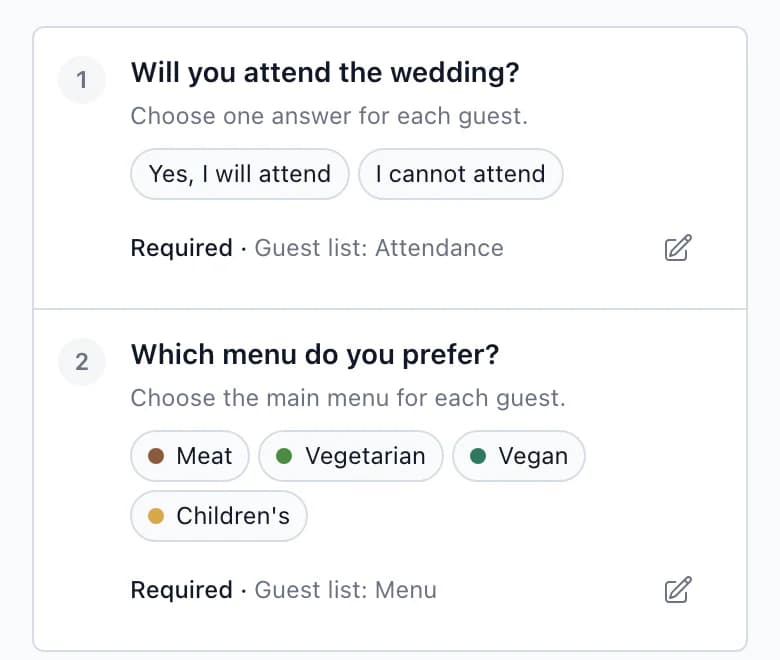
For each question, choose the guest list column where its answer is saved. Questions without a linked column stay only in the RSVP response.
Linked to the guest list
Attendance, menu, dietary restrictions and notes are linked to the guest list from the start. Connect a custom question to a new column.
Menus by course, with colors
Each choice has a short label for staff and printing, such as Meat, and a color. You then see the same color beside the guest in the seating plan.
Plus-ones and children
Guests can add a plus-one or children in the form. Ask separate questions for adults and children.
Multiple events, a deadline and languages
Guests invited only to the ceremony get a link for selected events only. The form closes at the end of the deadline day. Translate its text into other languages.
More detailsLinked to the guest list · Menus by course, with colors · Plus-ones and children · Multiple events, a deadline and languages
Linked to the guest list
Attendance, menu, dietary restrictions and notes are linked to the guest list from the start. Connect a custom question to a new column.
Menus by course, with colors
Each choice has a short label for staff and printing, such as Meat, and a color. You then see the same color beside the guest in the seating plan.
Plus-ones and children
Guests can add a plus-one or children in the form. Ask separate questions for adults and children.
Multiple events, a deadline and languages
Guests invited only to the ceremony get a link for selected events only. The form closes at the end of the deadline day. Translate its text into other languages.
You do this
- Bring in the listManual
- Group your guestsManual
- Approve responsesCheck
The app does this
- Send the linkExport
- Responses are saved to guestsAutomatically
The process in 5 stepsWhat happens at every step and what the app prevents
Bring in the listManual
Upload a CSV or Excel file and check which column goes where before importing. Add more guests directly to the table.
Group your guestsManual
Combine a family or couple into a guest group. Attendance and menus are saved separately for each person. Turn off Needs a chair for a baby sitting on a lap.
Send the linkExport
Copy the RSVP link and send it to guests through your usual channels, or add it with a QR code to the printed invitation. Guests enter their name, contact details and responses in the form.
Approve responsesCheck
Form responses wait under Responses awaiting approval. Approve new guests in one click, including all at once. If a name, email or phone number matches someone on the list, the app marks the response Needs review and you choose which guest it belongs to.
Responses are saved to guestsAutomatically
After approval, attendance, menus and dietary restrictions are saved to the guest list columns mapped to your questions. Filter by attendance to find guests who have not replied and remind them of the deadline.
Who sees what
Guests respond; the team works with the results.
Joshua's row in the guest list as seen by your team, the client and Joshua himself. See what the kitchen receives at the Documents stop in the example above.
One output, 3 viewsJoshua Mitchell in the guest list
Team
You and your coordinators
- Attendance
- Attending
- Menu
- Meat
- Dietary restrictions
- gluten-free
- Group
- the Mitchells
- Internal note
- team only
The complete guest row, including internal notes.
Client
Emily and James
- Attendance
- Attending
- Menu
- Meat
- Dietary restrictions
- gluten-free
- Group
- the Mitchells
- Internal note
- cannot see
Edits guests and approves responses with you. Cannot see the team's internal notes.
Guest
Joshua in the form
- Attendance
- Yes, I will attend
- Menu
- Meat
- Dietary restrictions
- gluten-free
- Group
- cannot see
- Internal note
- cannot see
Can see only their own form. Other guests and guest list columns are not visible.
Next step
From the response to the table.
Seating plan
Approved attendance, menu and dietary restrictions stay with the guest as you seat them.
Guest list templateA guest list for the spreadsheet you manage now. Upload it to the app and map columns in the preview.
Choosing software? Six things to check
Try RSVP on Emily & James's wedding.
After signing up, you will find it in the app with 86 guests. Explore guest groups, RSVP questions and the five guests who have not replied yet.
Questions
Common questions about guests and RSVP.
Did not find an answer? Write to us through the page support.
Do I need a guest website for RSVP?
No. RSVP works on its own through a link or QR code you send to guests or put on an invitation. If you publish a website, the form can be part of it.
A guest replied by phone. Where do I record it?
Directly in their guest list row. The seating plan and kitchen counts then use the change just as if they had replied through the form. Record a response the same way if it arrives after the form has closed.
How do I enter children and babies?
Choose Adult, Child or Baby for each guest. Turn off Needs a chair for a baby sitting on a lap or in a high chair, so you do not need to find them a seat at the table.