
Wedding timeline
Each vendor has their own timeline.
Enter the day's items with times, locations and vendors. Every vendor gets their own version, while only the team sees internal items.
Simplified demo
Saturday at Emily & James's wedding · around the ceremony
Edit an item · select it in the timeline
Ceremony sound and microphone checkCourtyard under the ash tree · DJ Radek Hájek, Koordinace Milník
- The whole team can see
- Client cannot see
- DJ can see
Internal item. The DJ receives it because they are one of its assigned vendors.
Wedding timelineyou and your coordinators
The team sees all 7 items.
The DJ receives their timeline as a printable PDF or by link.
The full example as text
- 12:15–12:30 Ceremony sound and microphone check (DJ Radek Hájek, Koordinace Milník), internal only.
- 12:30–13:45 Welcome drinks and guest arrival · Welcome menu (Kuchyně Pod Jasanem, Statek Pod Jasanem).
- 13:20 Check front rows and available seats (Milestone Coordination), internal only.
- 13:45–14:00 Guests move to the ceremony (Milestone Coordination).
- 14:00–14:30 Ceremony (DJ Radek Hájek, Lenka Vrbová Photo, Ateliér Na Louce).
- 14:30–15:30 Congratulations and group photos (Lenka Vrbová Photo, Koordinace Milník).
- 15:15–15:45 Vendor lunch (Kuchyně Pod Jasanem, Koordinace Milník), internal only.
The team sees all items. The client does not see items marked Internal only in the app. The DJ document includes shared items and internal items assigned to the DJ; add or remove individual rows manually in the document. Changing one item's time does not move the others. The DJ therefore receives the internal sound check, while the client does not see it.
Documents
Documents for everyone working on the wedding.
Every vendor, service staff and reception receive their own document from the same wedding. No copying to another spreadsheet.
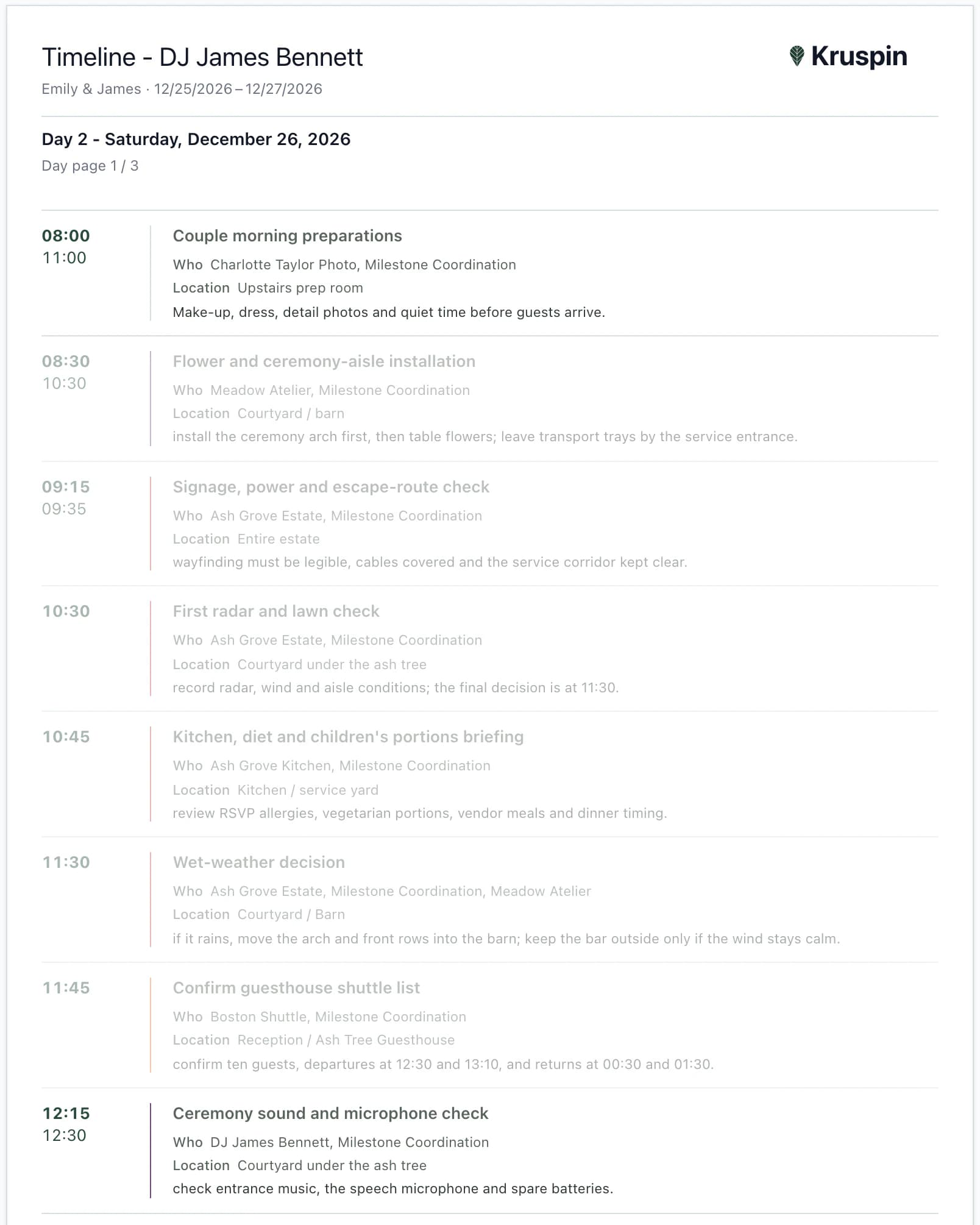
Timeline – DJ James Bennett
Emily & James · Dec 25 – 27, 2026
Day 2 – Saturday, December 26, 202612 of 22 items for the day
- 08:00–11:00The couple's morning preparationsUpstairs preparation roomWho: Charlotte Taylor Photo, Milestone Coordination
- 12:15–12:30Ceremony sound and microphone checkInternalCourtyard under the ash treeWho: DJ James Bennett, Milestone Coordination
- 12:30–13:45Welcome drinks and guest arrival · Welcome menuCourtyard under the ash treeWho: Ash Grove Kitchen, Ash Grove Estate
- 13:45–14:00Guests move to the ceremonyCourtyard under the ash treeWho: Milestone Coordination
- 14:00–14:30CeremonyCourtyard under the ash treeWho: DJ James Bennett, Charlotte Taylor Photo, Meadow Atelier
- 14:30–15:30Congratulations and group photosCourtyard and orchardWho: Charlotte Taylor Photo, Milestone Coordination
- 16:30–18:45Wedding mealBarnWho: Ash Grove Kitchen, Ash Grove Estate
- 18:50–19:30Barn reset after the wedding mealInternalBarnWho: Ash Grove Estate, DJ James Bennett, Milestone Coordination
- 20:00–20:30Cake and dessert tableBarn / terraceWho: Bluebell Bakery, Milestone Coordination
- 20:30First danceBarnWho: DJ James Bennett, Charlotte Taylor Photo
- 22:30–23:45Evening buffetTavern and terraceWho: Ash Grove Kitchen, Ash Grove Estate
- 01:45–02:00Bar closing and noise cutoffInternalTavern / courtyardWho: Ash Grove Estate, DJ James Bennett, Milestone Coordination
Timeline for
DJ James Bennett: 12 of 22 items in the day: 9 shared and 3 internal assigned to them.
The guest in the documents
What a guest's response tells service staff, the kitchen and reception.
Joshua Mitchell's final stop. Go back to his response, change his menu or attendance and see how his row changes in the documents.
Follow Joshua Mitchell through the documentsService staff, kitchen and reception use the response
Joshua Mitchell
the Mitchells · Emily & James's wedding
Simplified demo
- Attendance
- Attending
- Menu
- Meat
- Dietary restrictions
- gluten-free
- A seat at the table
- Table 5 · 6
- Friday
- Garden Wing 03
- Saturday
- Main House 11
What service staff, the kitchen and reception receive
Seating – service handoverEmily & James
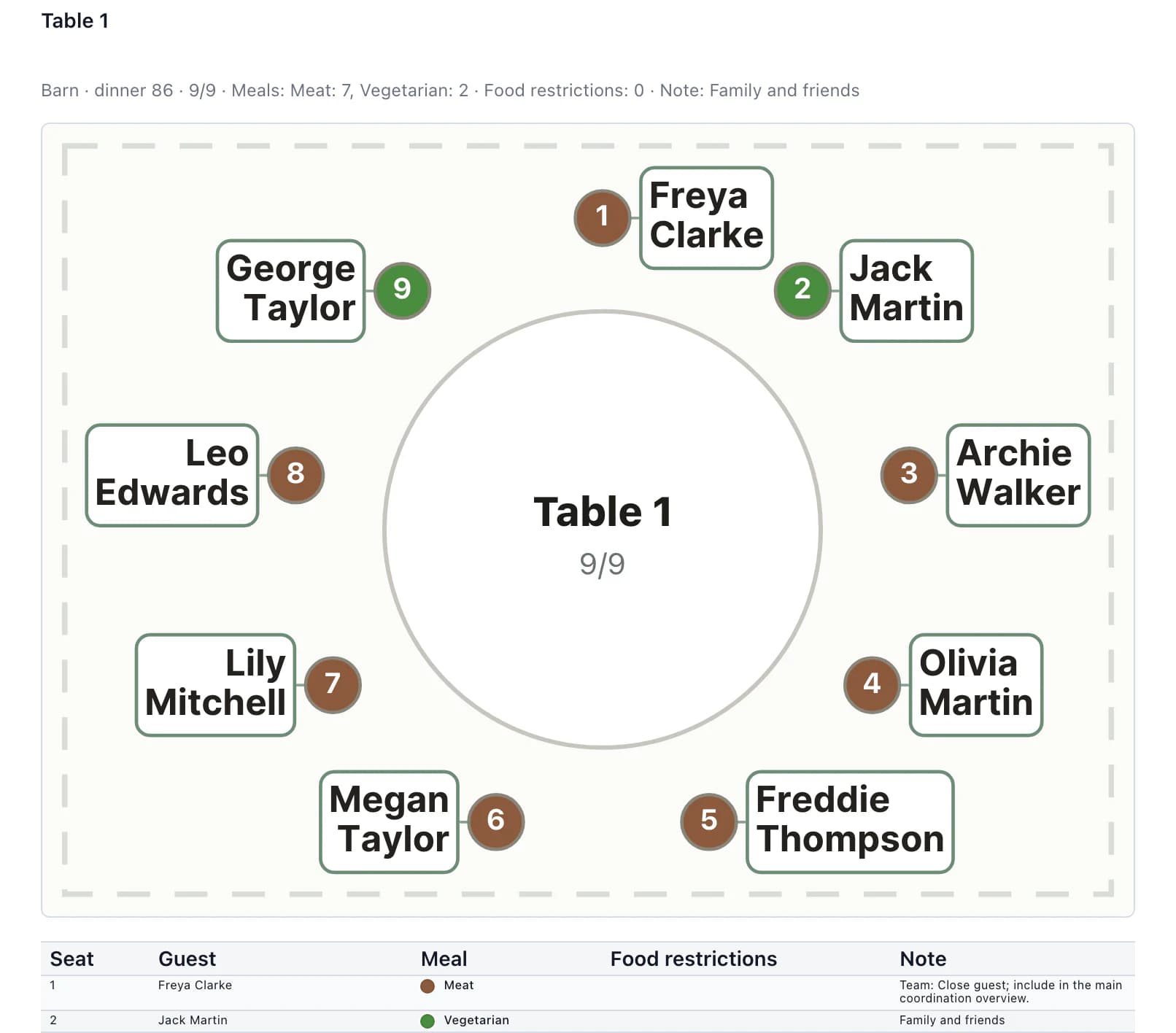
Stodola · hostina 86 · Table 5
| A seat at the table | Guest | Food | Dietary restrictions |
|---|---|---|---|
| 5 | Ava Brown | Meat | – |
| 6 | Joshua Mitchell | Meat | bez lepku; Bez alkoholu |
| 7 | Zoe Brown | Meat | No alcohol |
Print each document as a PDF or send it by link.
The full example as text
- Response. Check Joshua Mitchell fills in the form through a shared link. His response waits under Responses awaiting approval. Joshua is already on the list, so it is marked Needs review and the matching name preselects the guest. Existing guest list details remain until approval. Automatically After approval, Joshua's record has attendance, menu and dietary restrictions. The seating plan, service document and kitchen counts then use his response.
- Venue. Manual Joshua is in the unseated list with a dot in his menu color; seat him in available seat 6 at table 5 in the barn. If a seated guest replies Not attending, they stay at the table, the service document flags RSVP Not attending, and you free the seat.
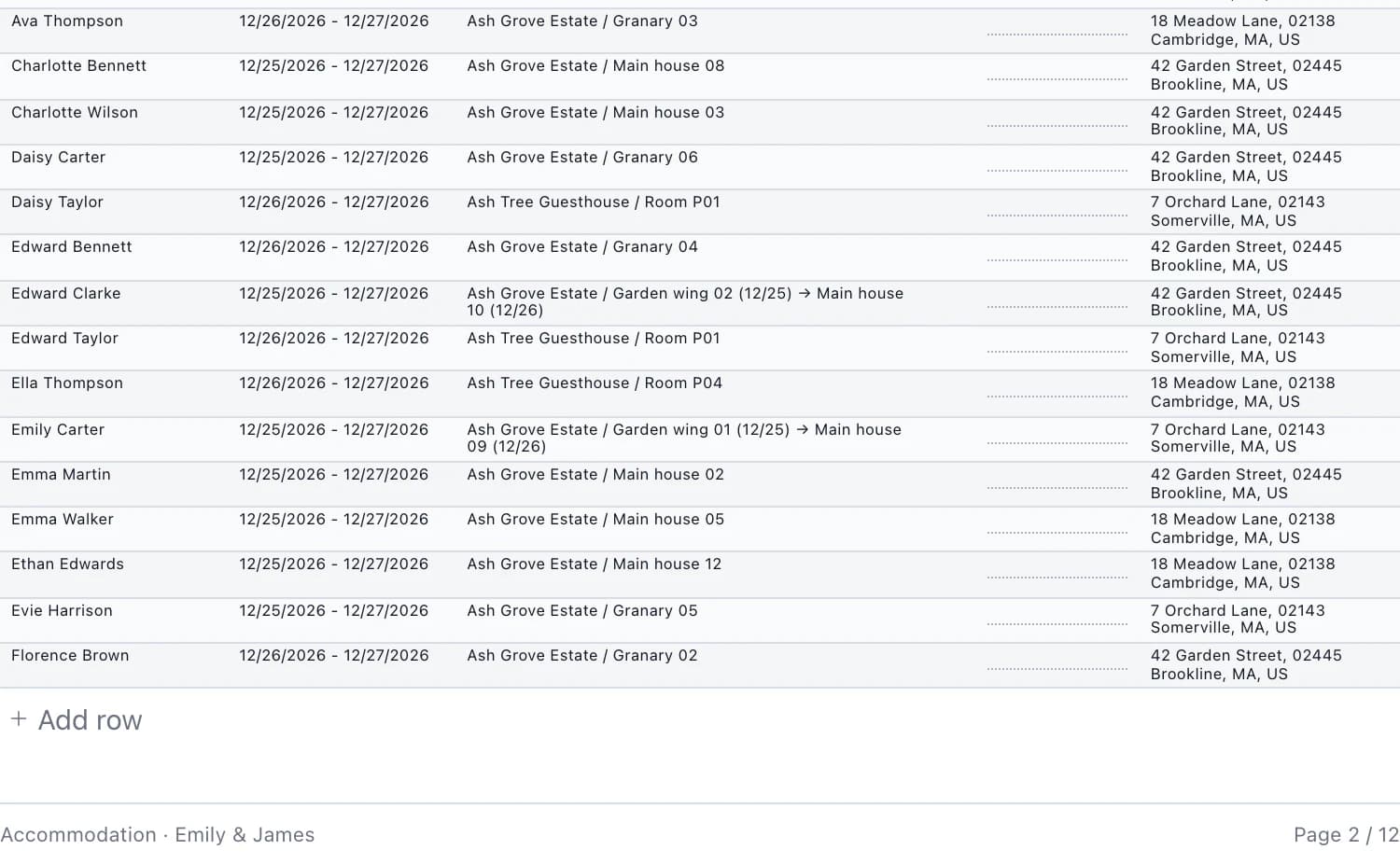
- Rooms. Manual Assign a room separately for Friday and Saturday. A full room cannot accept another guest. The room stays assigned until you remove it.
- Documents. Export Service staff get names, meals and dietary restrictions at each seat; the kitchen gets menu and dietary restriction counts without names; reception gets arrivals, room changes and departures. Print documents as PDFs or send them by link.
In the app
The DJ gets the schedule and their sound check.
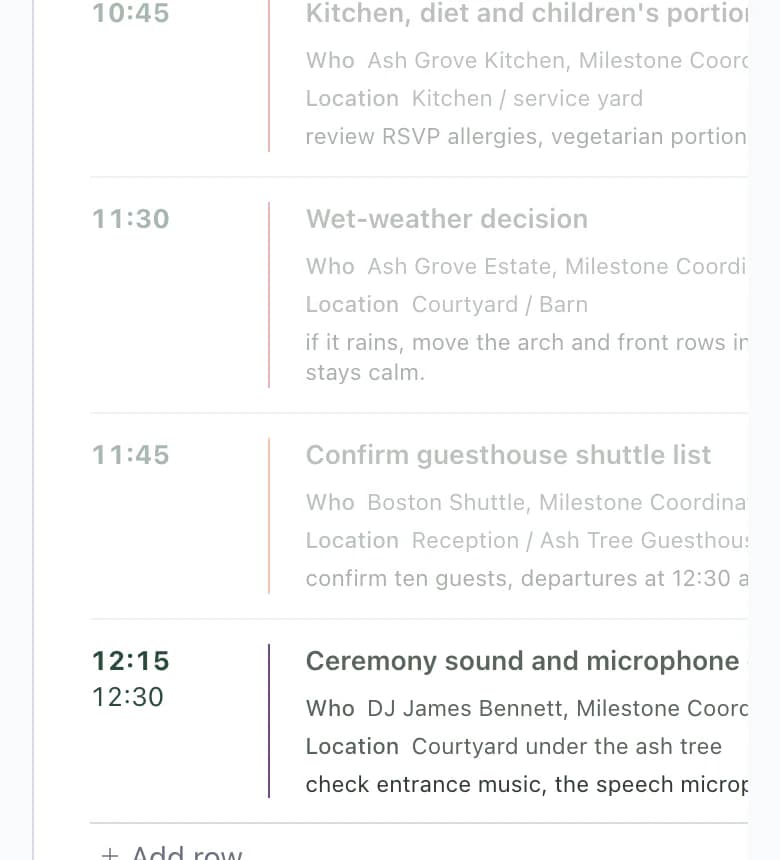
The DJ's timeline includes items shared with the client plus internal items assigned to the DJ. It includes the sound check at 12:15; the client's schedule does not.
Each day on a new page
A multi-day wedding has a separate A4 page for each day.
Time, place and people
Every item shows the time, location, who is responsible and a description of what happens then.
Edits just for the document
Edit or add a document row without changing the timeline. You can also switch the document to another language. Prices are not included.
More detailsEach day on a new page · Time, place and people · Edits just for the document
Each day on a new page
A multi-day wedding has a separate A4 page for each day.
Time, place and people
Every item shows the time, location, who is responsible and a description of what happens then.
Edits just for the document
Edit or add a document row without changing the timeline. You can also switch the document to another language. Prices are not included.
You do this
- Enter items by dayManual
- Assign vendors and the teamManual
- Mark internal itemsManual
- Review the day in the calendarCheck
The app does this
- Send each person their versionExport
The process in 5 stepsWhat happens at every step and what the app prevents
Enter items by dayManual
Friday arrivals, Saturday ceremony at 14:00, Sunday breakfast. An item after midnight, such as guest transport at 00:15, stays with the evening it belongs to.
Assign vendors and the teamManual
Choose vendors for an item, such as the DJ or kitchen, and the team members responsible. Their timelines are built from these assignments.
Mark internal itemsManual
Mark the kitchen briefing or late-night transport dispatch Internal only. The client will not see them in their schedule.
Review the day in the calendarCheck
Each space has its own row in the calendar. See what is happening in different places at the same time.
Send each person their versionExport
Every vendor and team member assigned to an item has their own document. Print it as a PDF or send it by link.
Next step
From the timeline to the guest website.
Guest website
The guest website schedule uses timeline items that are not internal.
Timeline templateThe wedding day item by item: time, location and responsible person in a downloadable spreadsheet, no account needed.
Choosing software? Six things to check
Explore Emily & James's timeline.
After signing up, you will find it in the app: from Friday arrivals at 16:00 through the Saturday ceremony at 14:00 to Sunday breakfast. Compare the DJ's timeline with the client's schedule.
Questions
Common questions about the timeline.
Did not find an answer? Write to us through the page support.
Can I start from a template?
Yes. Add a timeline from a template and edit it. In Quick edit mode, press Enter to add another item.
How does the schedule get onto the guest website?
In the website's schedule section, the app offers timeline items that are not internal. Choose what guests will see, then edit those items separately on the website.