
Accommodation and rooming list
Rooms and guests, night by night.
Assign guests to rooms night by night. Reception receives a rooming list: who stays where, who is arriving and who changes rooms between nights.
Joshua Mitchell
the Mitchells · Emily & James's wedding
Simplified demo
- Attendance
- Attending
- Menu
- Meat
- Dietary restrictions
- gluten-free
- A seat at the table
- Table 5 · 6
- Friday
- Needs attention
- Saturday
- Needs attention
Give Joshua a room for both nights
Rooms by nightNeeds attention
| Room | Fri → Sat (Friday to Saturday) | Sat → no (Saturday to Sunday) |
|---|---|---|
| Garden Wing 032 beds | ||
| Main House 112 beds | ||
| Main House 084 beds |
Jessica Mitchell (MH) already stays in Garden Wing 03 on Friday and Main House 11 on Saturday.
ExportAccommodation for reception
A guest without a room is not in the reception document.
The full example as text
- Response. Check Joshua Mitchell fills in the form through a shared link. His response waits under Responses awaiting approval. Joshua is already on the list, so it is marked Needs review and the matching name preselects the guest. Existing guest list details remain until approval. Automatically After approval, Joshua's record has attendance, menu and dietary restrictions. The seating plan, service document and kitchen counts then use his response.
- Venue. Manual Joshua is in the unseated list with a dot in his menu color; seat him in available seat 6 at table 5 in the barn. If a seated guest replies Not attending, they stay at the table, the service document flags RSVP Not attending, and you free the seat.
- Rooms. Manual Assign a room separately for Friday and Saturday. A full room cannot accept another guest. The room stays assigned until you remove it.
- Documents. Export Service staff get names, meals and dietary restrictions at each seat; the kitchen gets menu and dietary restriction counts without names; reception gets arrivals, room changes and departures. Print documents as PDFs or send them by link.
In the app
Who stays where, for each night.
See occupancy by night, not just for the whole stay. A guest staying in the garden wing on the first night and the main house on the second has both nights recorded.
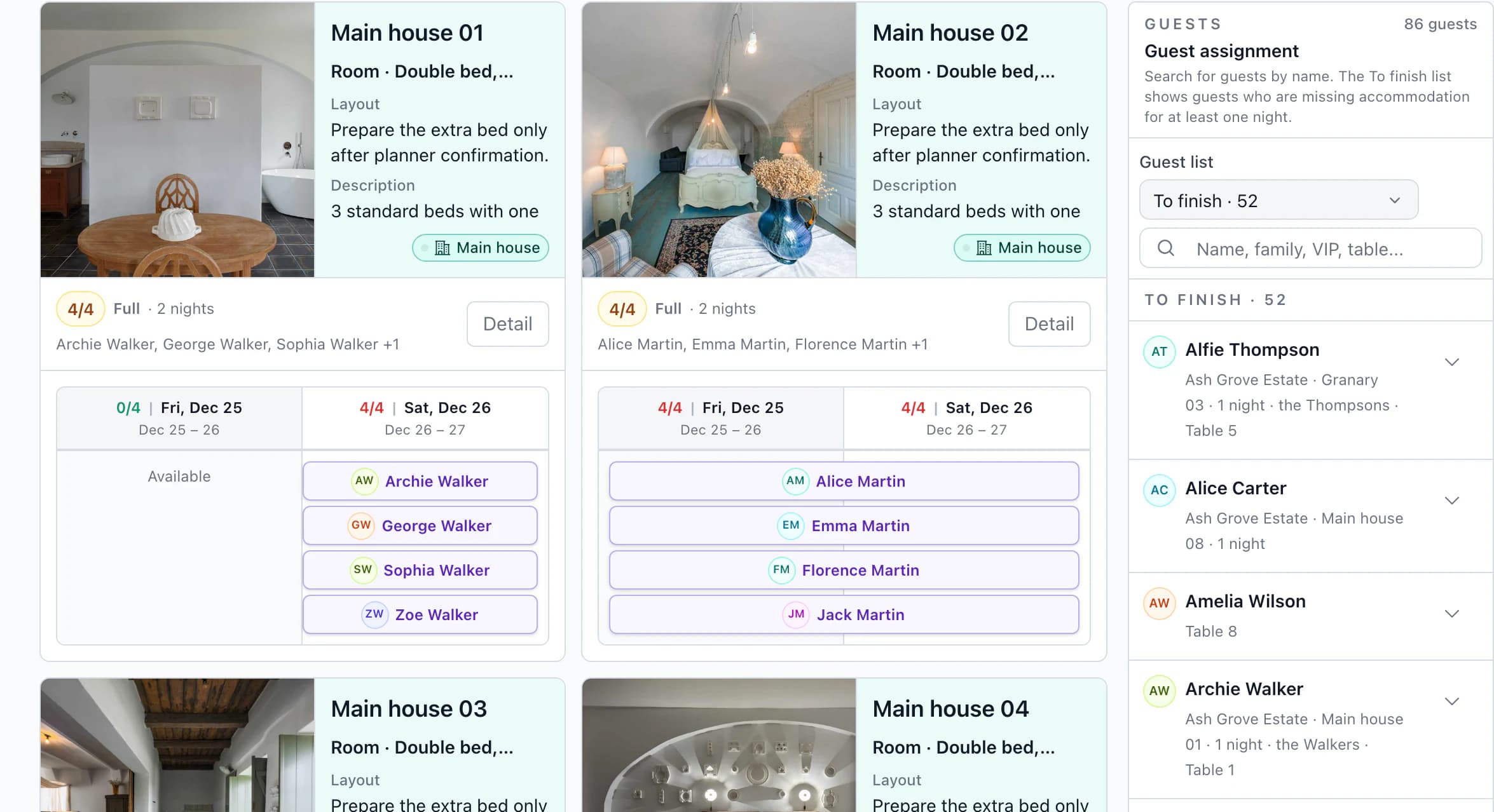
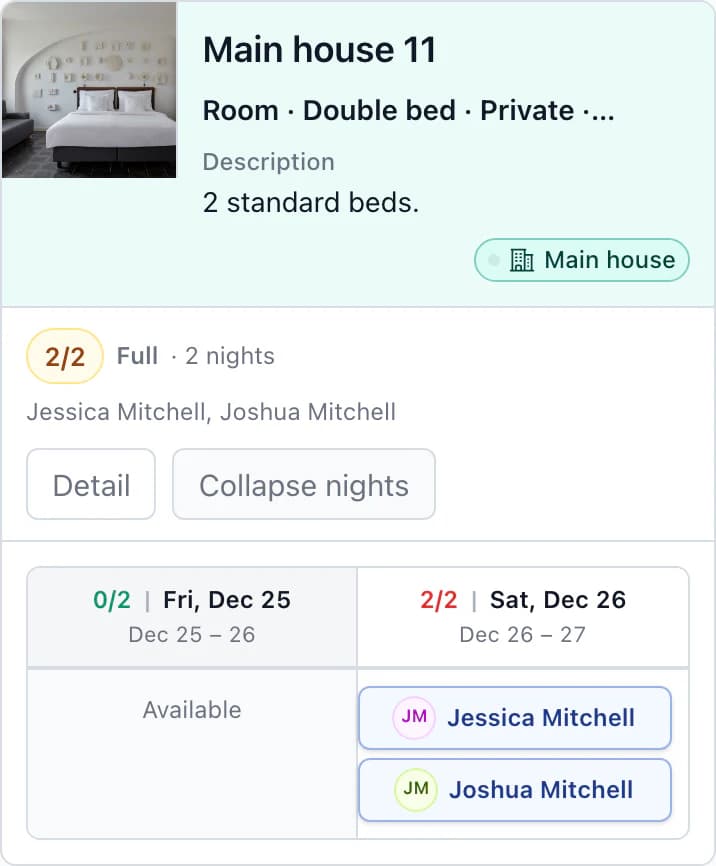
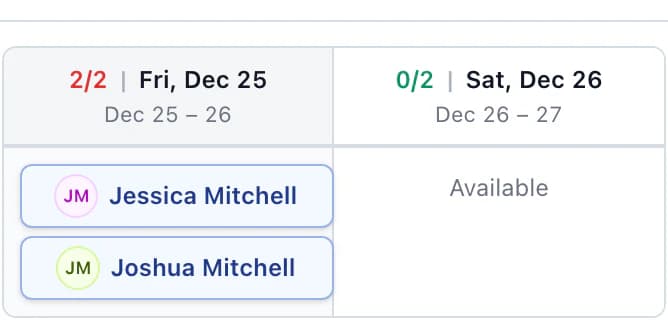
Room, night and table on the guest record
Find each guest's room for every night and their table from the seating plan.
Keep guest groups together
Assign a family in one go. A larger room can hold more than one group.
Rooms with photos and instructions
Save bathroom details, photos, instructions and an internal note the client cannot see.
More detailsRoom, night and table on the guest record · Keep guest groups together · Rooms with photos and instructions
Room, night and table on the guest record
Find each guest's room for every night and their table from the seating plan.
Keep guest groups together
Assign a family in one go. A larger room can hold more than one group.
Rooms with photos and instructions
Save bathroom details, photos, instructions and an internal note the client cannot see.
You do this
- Add properties and roomsManual
- Assign guests by nightManual
- Resolve missing nightsCheck
The app does this
- Give reception the rooming listExport
The process in 4 stepsWhat happens at every step and what the app prevents
Add properties and roomsManual
Enter the beds in each room, such as 1× double bed and 1× extra bed; capacity is calculated from them. Add a property from the library to the wedding as an independent copy.
Assign guests by nightManual
Drag a guest or a whole group into a room and choose their nights. You cannot assign a guest to a full room or to a night when the room is unavailable.
Resolve missing nightsCheck
Under Needs attention, find guests missing accommodation for one or more nights. The app flags any night over capacity.
Give reception the rooming listExport
Print the Accommodation document as a PDF or send it by link. Reception finds guests alphabetically, occupancy by night, and arrivals, departures and room changes by day.
Who sees what
The client assigns guests; reception gets the list.
Joshua's nights as seen by your team, the client and the guest. Reception staff who need to work on accommodation directly in the app get the Accommodation role in your team; they cannot see the budget, tasks or seating plan.
One output, 3 viewsJoshua's nights
Team
You and your coordinators
- Friday
- Garden Wing 03
- Saturday
- Main House 11
- Internal room note
- team only
Properties, rooms, beds and guests by night.
Client
Emily and James
- Friday
- Garden Wing 03
- Saturday
- Main House 11
- Internal room note
- cannot see
Assigns guests to rooms until you lock edits. Cannot see identity documents or dates of birth.
Guest
Wedding website
- Room by night
- not on the website
Guests cannot see the rooming list on the guest website.
Next step
From rooms to the timeline.
Wedding timeline
Arrivals, ceremony and breakfast in one timeline; every vendor receives their own version.
Kruspin or a shared spreadsheetJoshua declines: what you change in a spreadsheet and in the app, including his two nights and the reception rooming list.
Choosing software? Six things to check
Assign rooms for Emily & James's wedding.
After signing up, you will find it in the app with accommodation at the farm and a partner guesthouse. Three couples change rooms between nights, so you can see how the rooming list captures those changes for reception.
Questions
Common questions about accommodation.
Did not find an answer? Write to us through the page support.
Do guests choose their own rooms?
No. You or the client assign rooms. The guest website can show guests the properties where they will be staying.
What if guests stay at two properties?
Add both properties, such as the farm and a nearby guesthouse, and assign guests in the same way. There is currently one rooming list for the whole wedding, rather than a separate one for each property.