
Seating plan template
Who sits where and what goes on their plate.
Table, seat, menu and dietary restrictions for each guest. In Kruspin, the same overview comes from the table plan and guest responses.
Simplified demo choose a seat at a table
A seat at the table 6
Table 5 for the kitchen and service staff
- Meat 5
- Children's 2
- Vegetarian 1
- With dietary restriction 3
| Row | A seat at the table | Guest | Menu | Dietary restrictions |
|---|---|---|---|---|
| 7 | 6 | Joshua Mitchell | Meat | gluten-free, no alcohol |
| Column | Row 7 |
|---|---|
| A seat at the table | 6 |
| Guest | Joshua Mitchell |
| Menu | Meat |
| Dietary restrictions | gluten-free, no alcohol |
Table 5: Masové 5, Dětské 2, Vegetariánské 1, dietary restrictions 3, available seats 0.
Completed example: required details are valid
What belongs in the columnsRules for 6 columns when filling in the file in a spreadsheet
- Table
- Use the same label as on the plan and place cards. Numbers or names are fine, but use them consistently throughout the wedding. For example: Table 5
- A seat at the table
- The chair number at the table. Agree where numbering starts and tell service staff. Leave blank for open seating. For example: 6
- Guest
- The full name as it will appear on the place card. Every guest has their own row, including children. For example: Joshua Mitchell
- Menu
- Only options the kitchen offers, such as Meat, Vegetarian or Children's. No free text. For example: Meat
- Dietary restrictions
- Allergies, dietary requirements and no alcohol, separately from the menu. The Kruspin service handover uses the same column heading. A blank field means the guest reported nothing. For example: gluten-free, no alcohol
- Service note
- What staff need to know at the table. Nothing the guest should not read, and no thoughts about which guests should not sit together. For example: High chair
How to use the file4 steps
Finalize seating once you know attendance. Until then, planning the groups is enough.
- Arrange tables for the room
Ask the venue for a floor plan and table counts. Check how many people genuinely fit at each table shape.
- Seat the groups
Assign families, friends and colleagues to tables with the client. Leave guests who have not replied aside for now.
- Check every guest's meal
Take menus and dietary restrictions from guest responses. Compare menu counts with the kitchen order.
- Hand over to service staff and the kitchen
Sort the spreadsheet by table and send it with the floor plan. After every change, send a new version and explicitly withdraw the old one.
Seating in Kruspin
The same spreadsheet, built from the plan and responses.
In the app, you do not fill this spreadsheet in manually. Drag guests to tables on the venue floor plan, with each guest's menu and dietary restrictions visible from their response. The service document is then created from that information.
See it in the appApp screens and 4 details
Seating – service handover
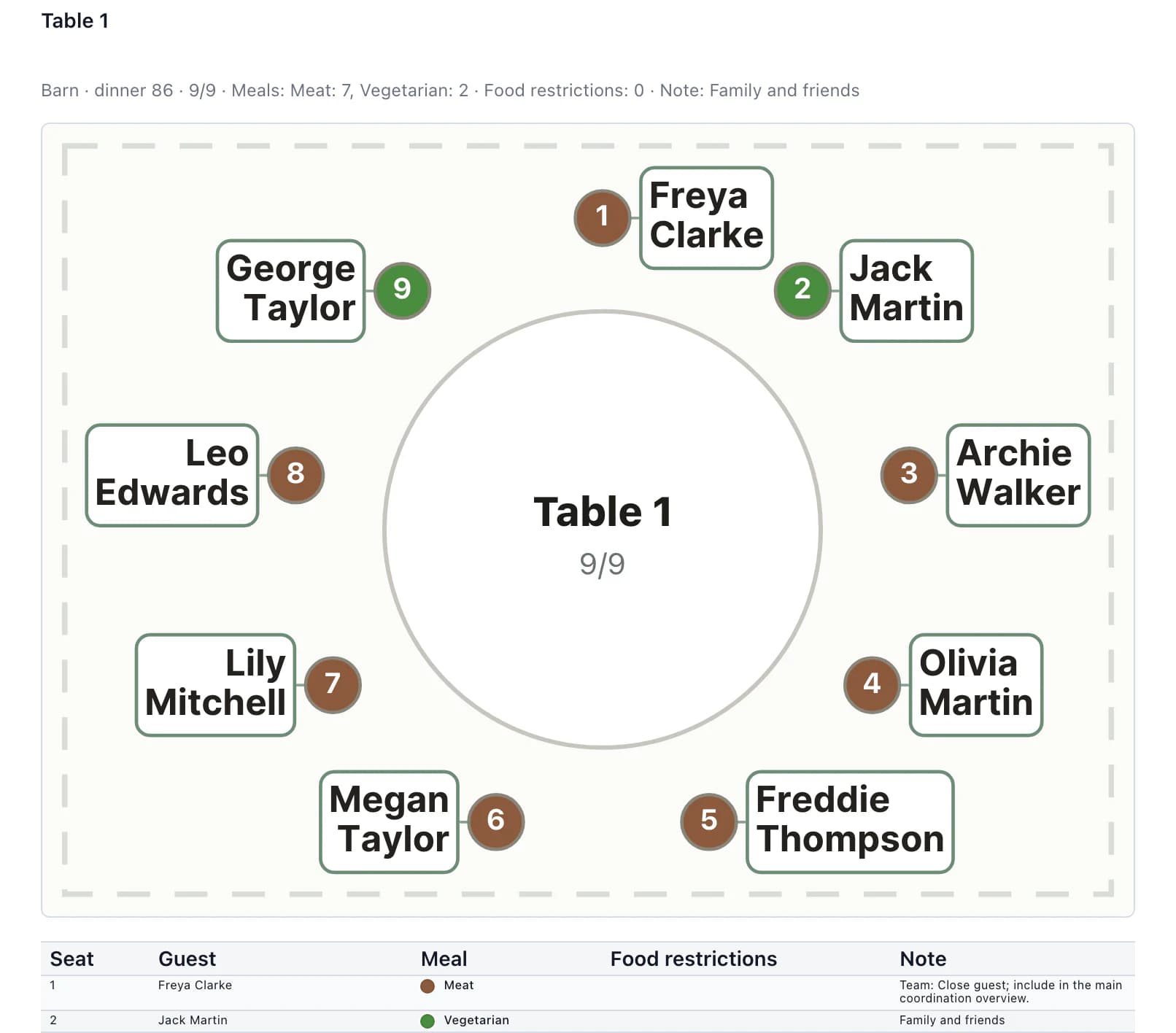
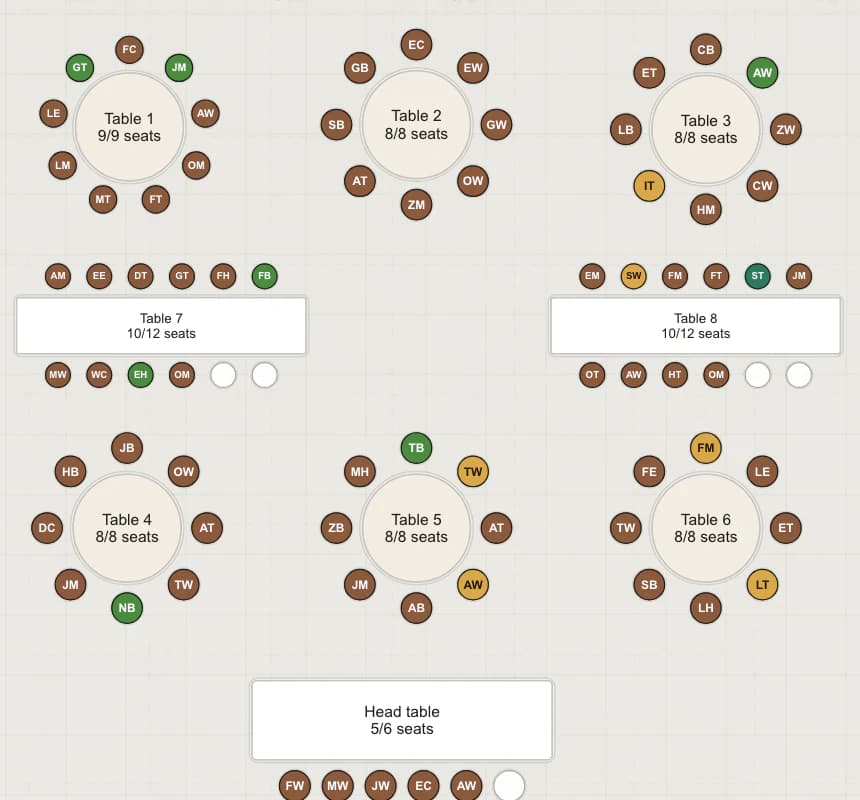
Seating plan
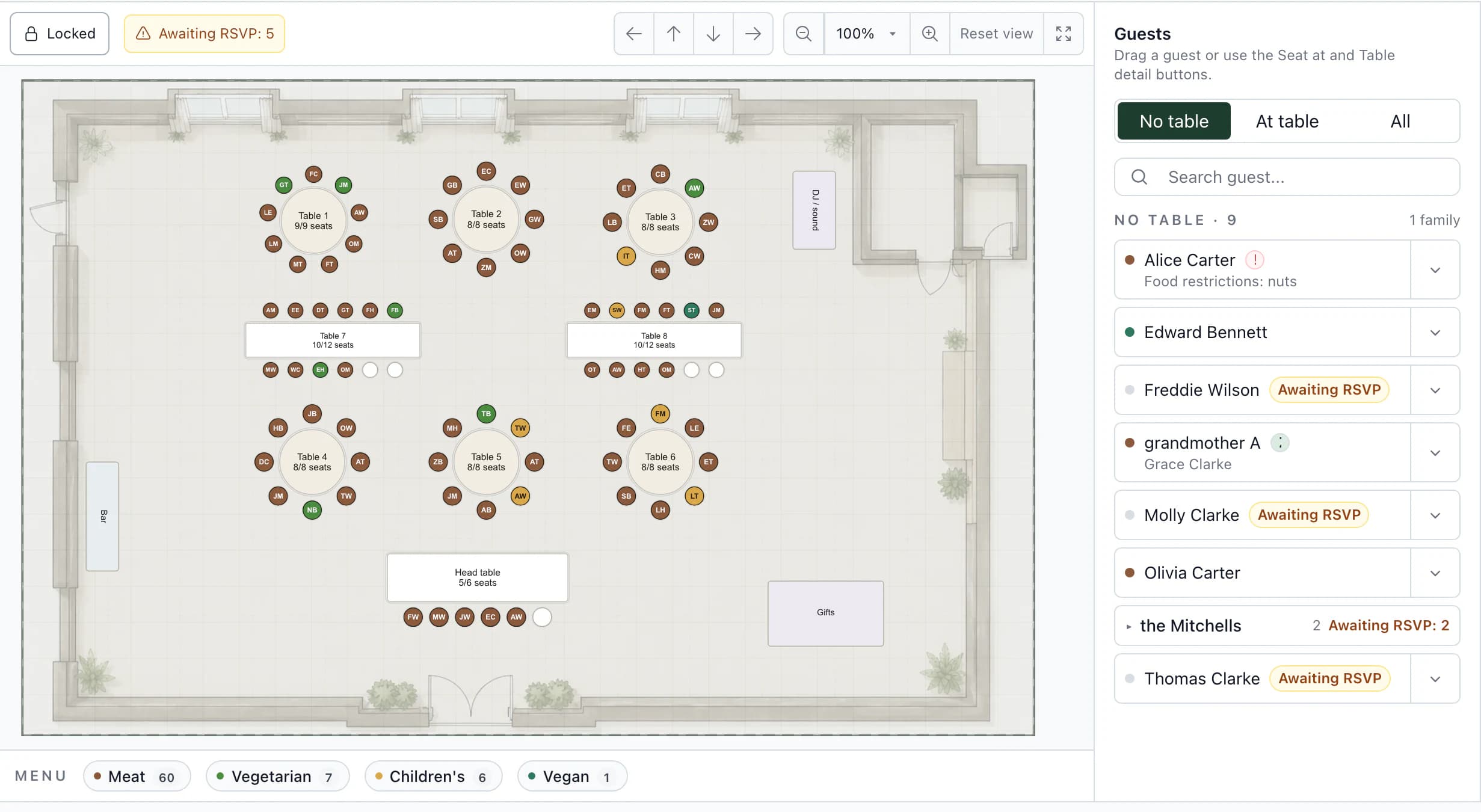
Table 5 in the seating plan
- A plan of the actual venue
Upload a floor plan, set the scale and arrange tables, the dance floor, bar and stage.
- Menus and dietary restrictions on the guest record
When seating guests, see their menu and dietary restrictions from RSVP. No copying into another spreadsheet.
- Seating – service handover
A service document with a room map, table-by-table seating, menus, dietary restrictions and children's portions. It is created from the current plan.
- Save the layout as a template
Save tables, objects and their positions as a template for the venue. Start from it for the next wedding in the same room; guests, menus and service notes do not carry over.
Next step
After seating, plan the day.
Timeline template
The wedding day item by item: time, location and responsible person.
Seating planGuests on the venue floor plan and a table list for service staff in the app.
Seat guests on your venue's floor plan.
Save the table layout once for each venue. For each wedding, you then focus on the guests.
Frequently asked questions
Seating in practice.
Did not find an answer? Write to us through the page support.
Can I bring seating assignments into Kruspin from my spreadsheet?
Yes, through the guest import. Save the Table column as Table (imported) with one click in the import preview, then assign guests to actual tables on the plan after importing. When the label matches unambiguously, the app suggests the table and you confirm the assignment. It will not seat guests marked Not attending, and it checks available seats at the table.
When should I finalize the seating plan?
After the RSVP deadline, by the date the venue and kitchen need final counts. Agree the deadline with them beforehand and add it to the checklist.