
Guest list template
A guest list the app can read.
One guest per row, with group, attendance, menu and dietary restrictions. Kruspin maps eight columns automatically during import.
Simplified demo edit the guest
Guest Joshua Mitchell
After import: 7 guests, 3 groups guests, attending 6, not attending 0, no response 1, children 1.
| Row | Name | Guest group | Attendance | Menu |
|---|---|---|---|---|
| 2 | Joshua Mitchell | the Mitchells | Attending | Meat |
| Column | Row 2 |
|---|---|
| Name | Joshua Mitchell |
| Guest group | the Mitchells |
| Attendance | Attending |
| Menu | Meat |
- Import reads: Attending, guest group the Mitchells.
Po importu: 7 guests, 3 groups guests, attending 6, not attending 0, no response 1, children 1.
Completed example: required details are valid
What belongs in the columnsRules for 9 columns when filling in the file in a spreadsheet
- Name
- One guest's full name. Enter an unnamed plus-one as “Freya Wilson's plus-one” and add their name when you know it. For example: Joshua Mitchell
- Guest group
- The same name for everyone receiving one invitation, written consistently every time. For example: the Mitchells
- The guest's contact details. One person per guest group is enough. For example: [email protected]
- Side
- Bride or Groom. Leave blank for shared guests. For example: Groom
- Child
- Enter yes for a child. For adults, leave blank or enter no. For example: no
- Attendance
- Attending or Not attending. Leave blank until the guest has replied. For example: Attending
- Menu
- One of the kitchen's choices. During import, match these to the wedding's menu options. For example: Meat
- Dietary restrictions
- Allergies, dietary requirements and no alcohol, separately from the menu. Import automatically maps this column heading to the guest's dietary restrictions. Leave blank if the guest reported nothing. For example: gluten-free, no alcohol
- Table
- Only if you already have seating assignments. After importing, use it to assign guests to tables on the plan. For example: Table 5
How to use the file4 steps
The guest list grows from the first client meeting until the RSVP deadline. Afterwards, it is the basis for the kitchen, seating and rooms.
- List guest groups
Review invited groups with the client and add all members, including children.
- Add contact details
At least one email or phone number per group, so there is someone to receive the invitation and reminder.
- Record responses
Record a response from a phone call or message in the same row straight away. Otherwise, you will not know who is still waiting at the deadline.
- Close and count
After the deadline, follow up with guests who have not replied and count menus for the kitchen from confirmed guests.
Guests and RSVP in Kruspin
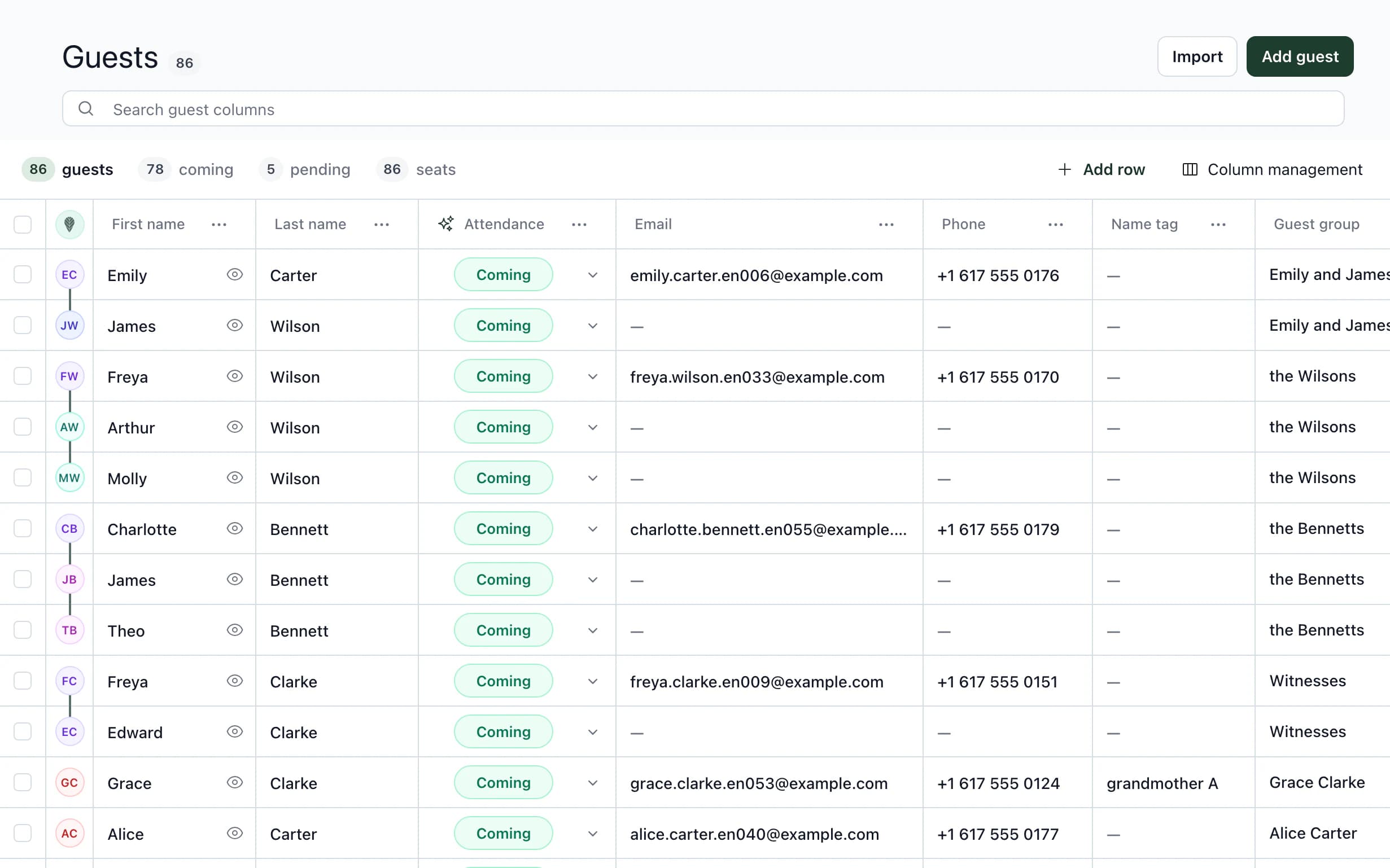
Guests after import: attendance, menu and dietary restrictions for each one.
Upload the guest list to Kruspin as CSV or Excel. The RSVP form on the guest website then collects responses. Approve each response: match it to an existing guest or create new guests from it. If the name matches exactly, Kruspin preselects the guest.
See it in the appAn app screen and 4 details
Guest list
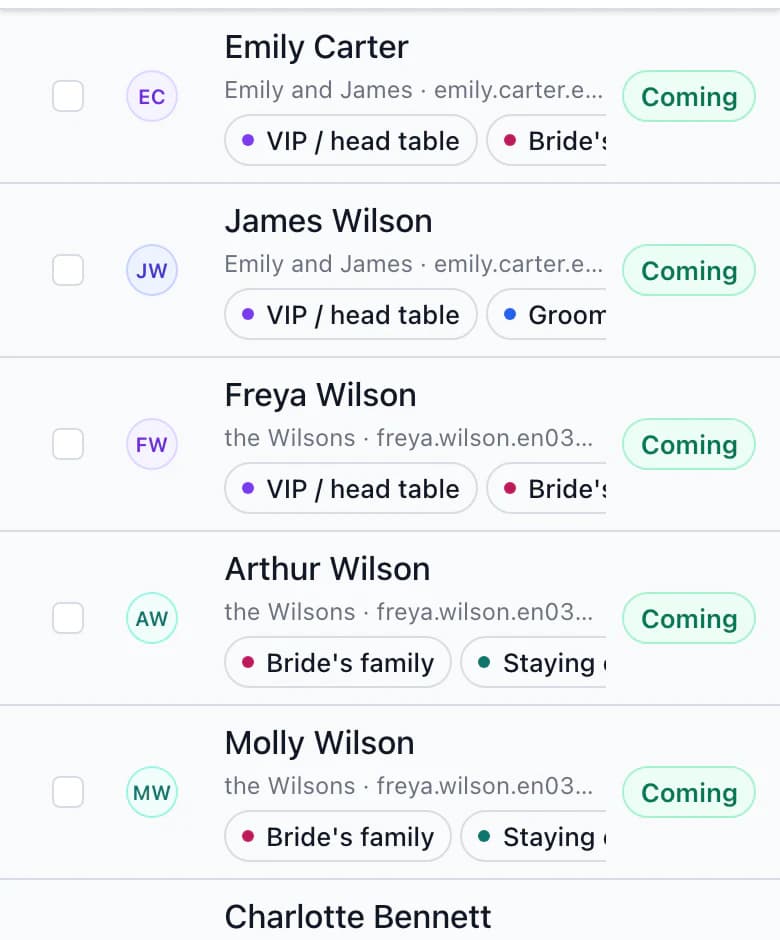
Guests by group
- Import by column heading
Kruspin maps columns by name, shows a preview and saves guests only after you confirm. Create an unfamiliar column as a new one, or skip it.
- RSVP questions as a template
Save attendance, menu, dietary restrictions and custom questions as a template. Load them into the next wedding's form. Guest responses are not saved in the template.
- The response on the guest record
Each question has an assigned guest list column. After approval, what the guest entered in the form appears in their row.
- Table from the import
Save the Table column as Table (imported) with one click and use it to assign guests to tables on the plan. No one is seated without your confirmation.
Next step
The guest list becomes the seating plan.
Seating plan template
Table, seat, menu and dietary restrictions for service staff, for guests attending.
Guests and RSVPGuest groups, RSVP questions and responses awaiting your approval.
Upload guests from the spreadsheet you already have.
CSV or Excel, with columns mapped in the preview. The RSVP form then collects responses and saves them to guests after your approval.
Frequently asked questions
Guest lists in practice.
Did not find an answer? Write to us through the page support.
What if my columns have different names?
Kruspin also recognizes common variants such as Full name, RSVP or Dietary restrictions, regardless of accents. Map other columns manually in the import preview, create them as new columns or skip them.
Does importing create guest groups?
Yes. Kruspin maps the Guest group column automatically in the import preview, and guests with the same group name join one group. It uses a group already in the wedding or creates one if missing. It does not guess a column named only “Group”: the preview asks whether it means guest groups or tags.
Can the client edit the guest list?
Yes. The client can add guests and manage their responses. Lock client edits a chosen number of days before the main date.